
Let’s be real: most "pro" workspaces are lighting disasters. We spend thousands on 4K panels and mechanical keyboards, yet we work in "caves" where the only light source is the aggressive blue glow of a monitor. This creates a high-contrast nightmare that leads to what I call "Visual Technical Debt"—that mounting eye fatigue and brain fog that hits you around 3 PM.
After integrating the BenQ ScreenBar into my own workflow for several months, I’ve realized this isn't just a "lamp." It’s a specialized piece of infrastructure. If you’re a developer, designer, or anyone whose eyes are their primary professional tool, you need to stop treating lighting as an afterthought.
The Specs: Optical Engineering
This isn't a cheap LED strip from a bargain bin. The engineering here is targeted at color accuracy and eye health.
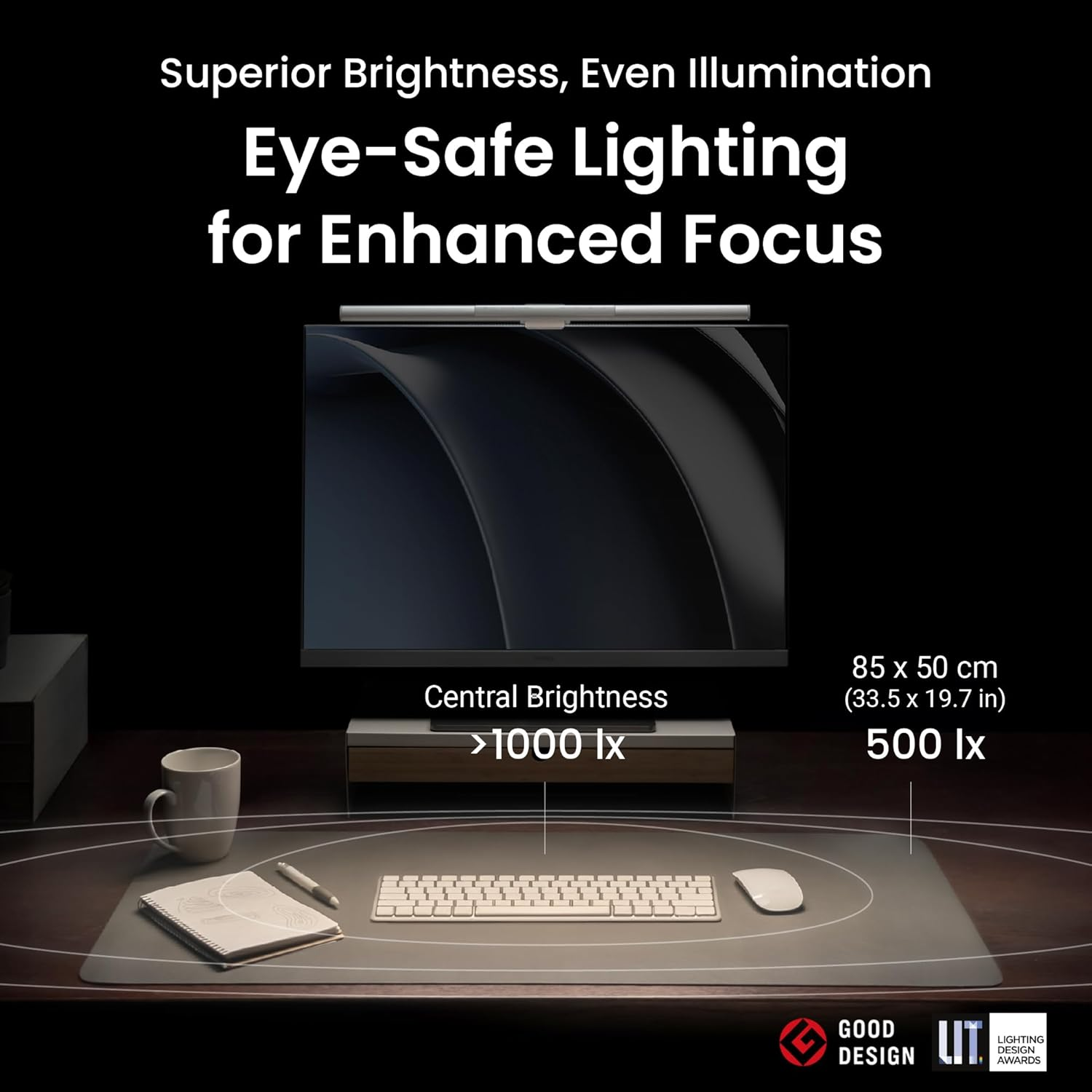
Light Source: Dual-color LED (Warm/Cool)
CRI (Color Rendering Index): >95 (Essential for designers who need color integrity)
Illuminance: 1000 Lux at the center (Standard office grade)
Power: 5V USB-A (Runs off your monitor hub or PC)
Auto-Dimming: Built-in ambient sensor
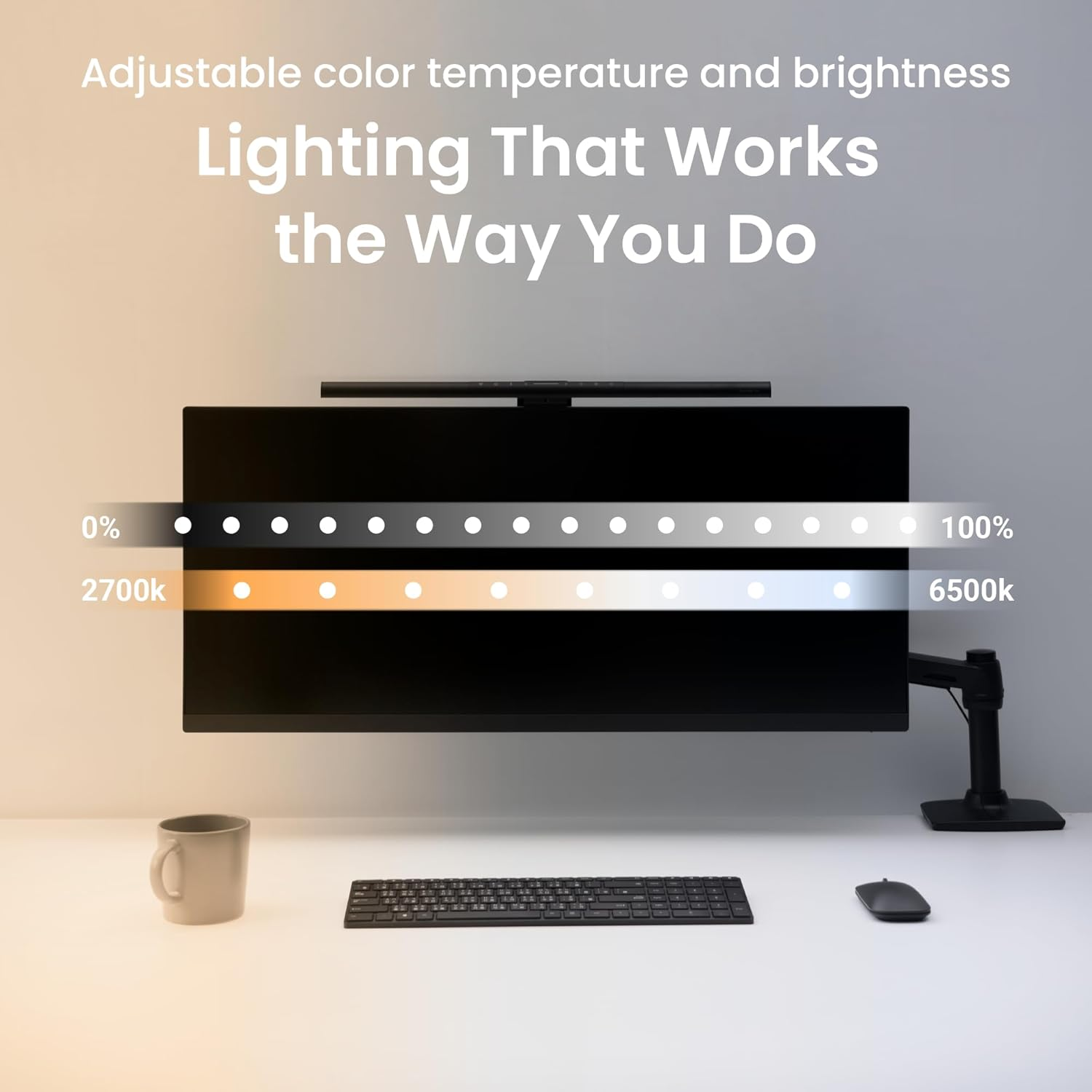
Color Temperature: 2700K to 6500K (Warm to Cool)
The Core Innovation: Asymmetrical Optical Design
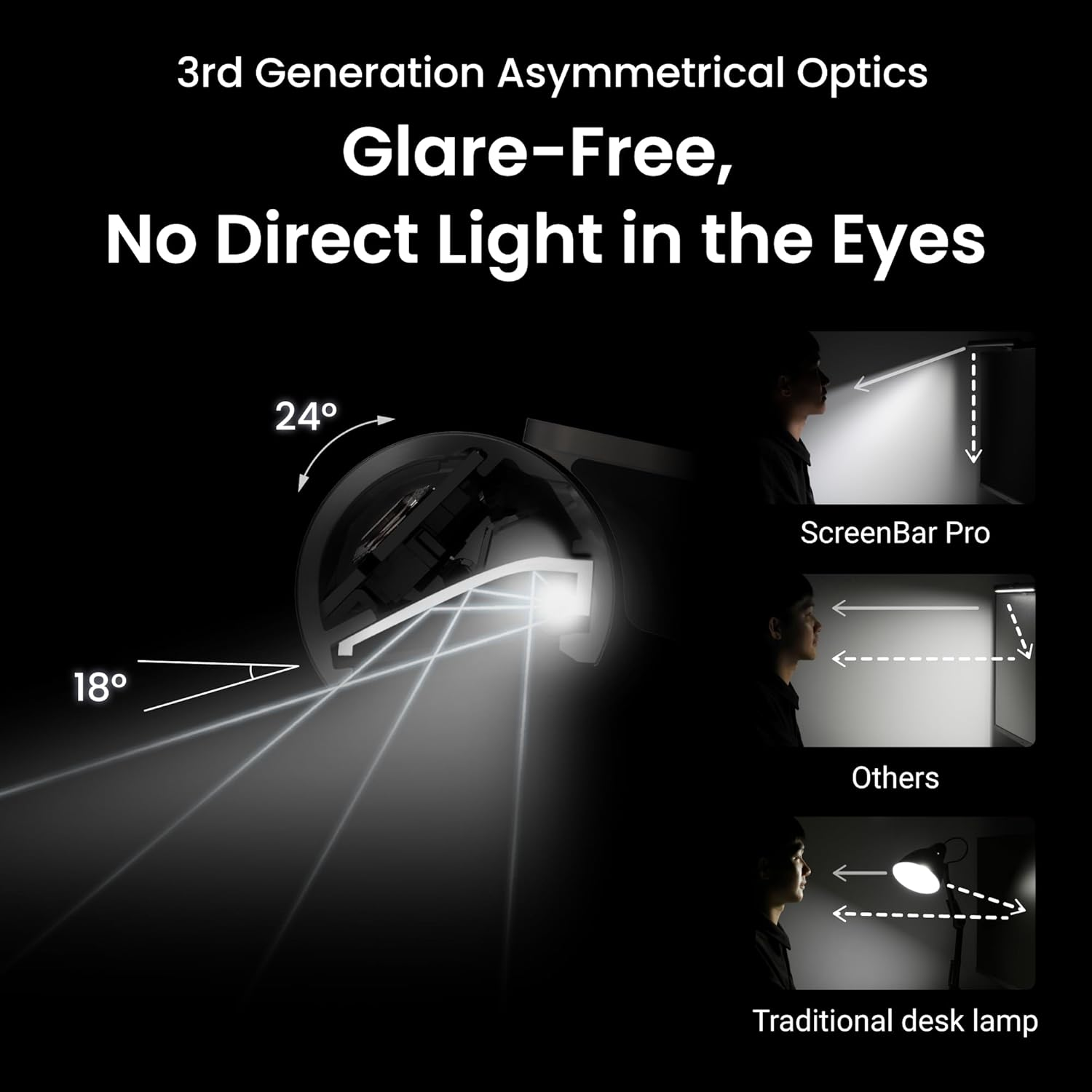
The "killer app" of the BenQ ScreenBar is its asymmetrical optics.
Standard desk lamps are "dumb"—they throw light in a 360-degree radius. This hits your screen, creates a veiling glare, and washes out your contrast. BenQ uses a precision-angled internal reflector that shears the light beam.
The Result: It illuminates your "keyboard zone" and desk surface perfectly, but the light stops dead before hitting the monitor glass. For enthusiasts using premium matte or glossy displays, this is non-negotiable. You get the brightness you need on your notes and peripherals without sacrificing the deep blacks on your screen.
System Integration & Build Quality
As a lab-style reviewer, I appreciate tools that feel like they belong in a refined system. The housing is sandblasted aluminum—cool to the touch and excellent for heat dissipation.
The Patented Clip: This is a feat of mechanical engineering. It uses a weighted counter-balance system. No sticky tape, no destructive clamps. It just... sits there. It’s compatible with almost any monitor, including most ultra-wides, without putting pressure on the delicate bezels of modern panels.
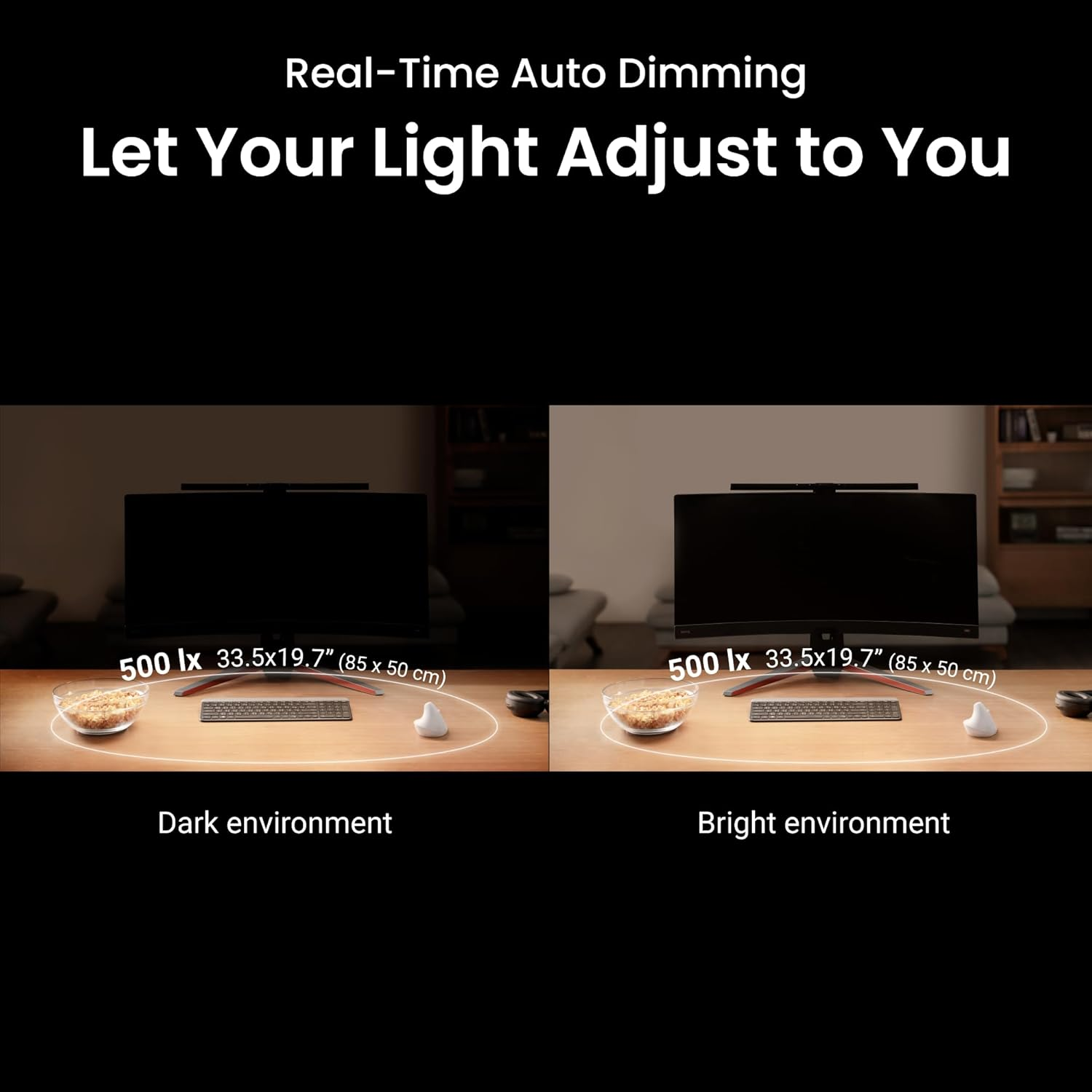
Auto-Dimming Logic: Tap the sensor, and it adjusts to 500 Lux based on your room's current state. It’s a "set and forget" feature that manages the eye-to-screen contrast as natural light fades in the evening.
Workflow Impact: Why It’s "Worth It"
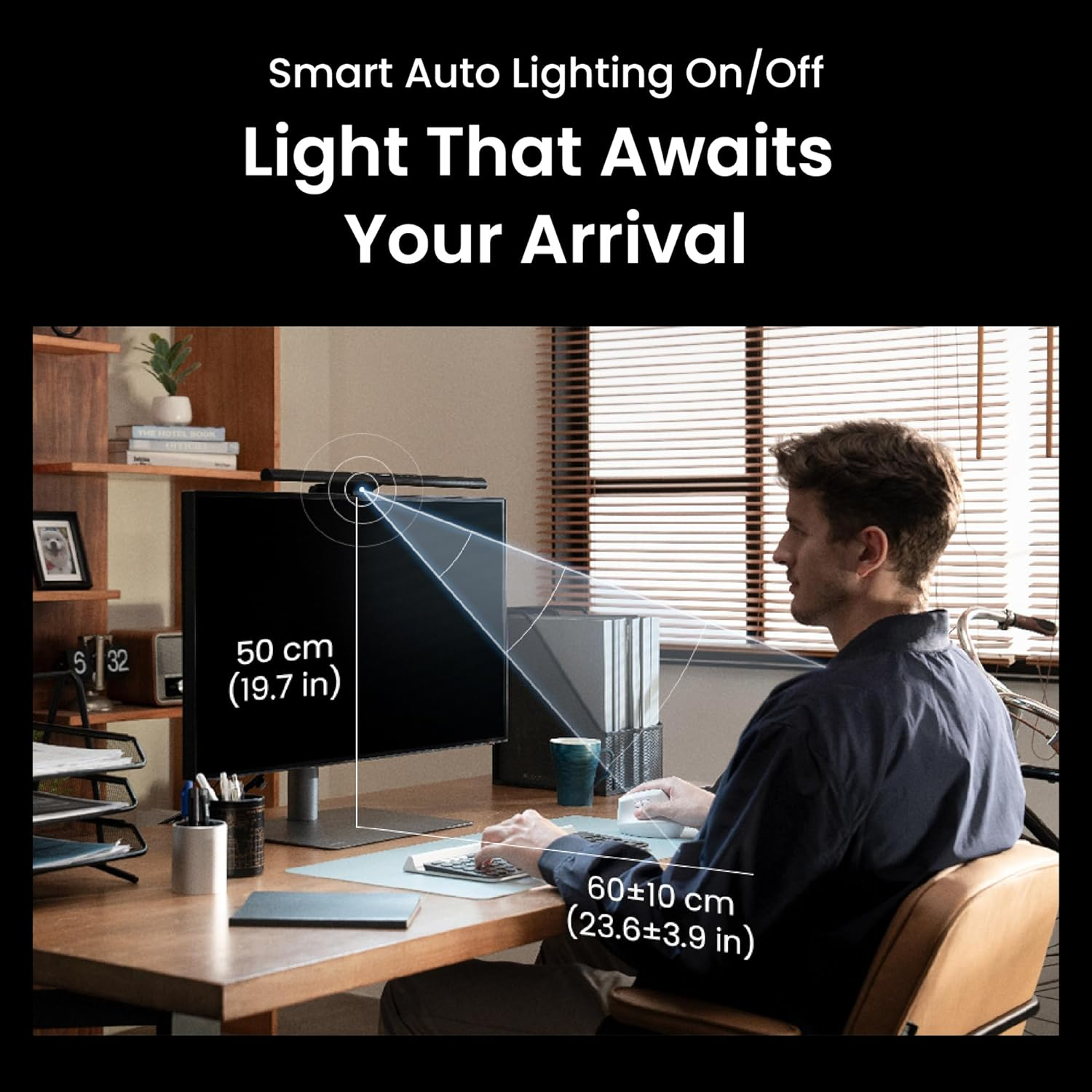
For the enthusiast, an upgrade must have a clear ROI. Here is how the ScreenBar pays for itself:
Reduced Fatigue: By brightening the peripheral area, it stops your pupils from constantly dilating and contracting as they move between a bright screen and a dark desk.
Space Optimization: It occupies zero desk real estate. If you’re running a 60% keyboard and a minimalist pad, the last thing you want is a bulky lamp base taking up space.
Circadian Management: Shifting to 2700K (warm) during late-night coding sessions is a game-changer for your sleep hygiene.
Comparison: BenQ ScreenBar vs. The Alternatives
As a professional, we don't just look at "does it turn on?" We look at optical precision and system stability. While the BenQ ScreenBar defined this category, several contenders have emerged. Here is how they stack up when you actually put them under the lab light.
| Metrics | BenQ ScreenBar | Xiaomi Light Bar | YEELIGHT Pro | Quntis PRO+ |
|---|---|---|---|---|
| Optical Cut-off | Elite (Zero glare) | Good (Minimal glare) | Average | Fair |
| Color Rendering | CRI >95 | CRI >90 | CRI >95 | CRI >95 |
| Control Method | On-device Touch | Wireless Dial | Wireless Dial + App | Wired Remote |
| Build Material | Aluminum | Aluminum / Plastic | Aluminum | Industrial Plastic |
| Smart Features | Auto-Dimming Sensor | None | RGB / Razer Chroma | Ambient Sensor |
| Price Point | Premium | Budget-Friendly | Mid-Range | Entry-Level |
1. Xiaomi Light Bar: The Aesthetic Rival
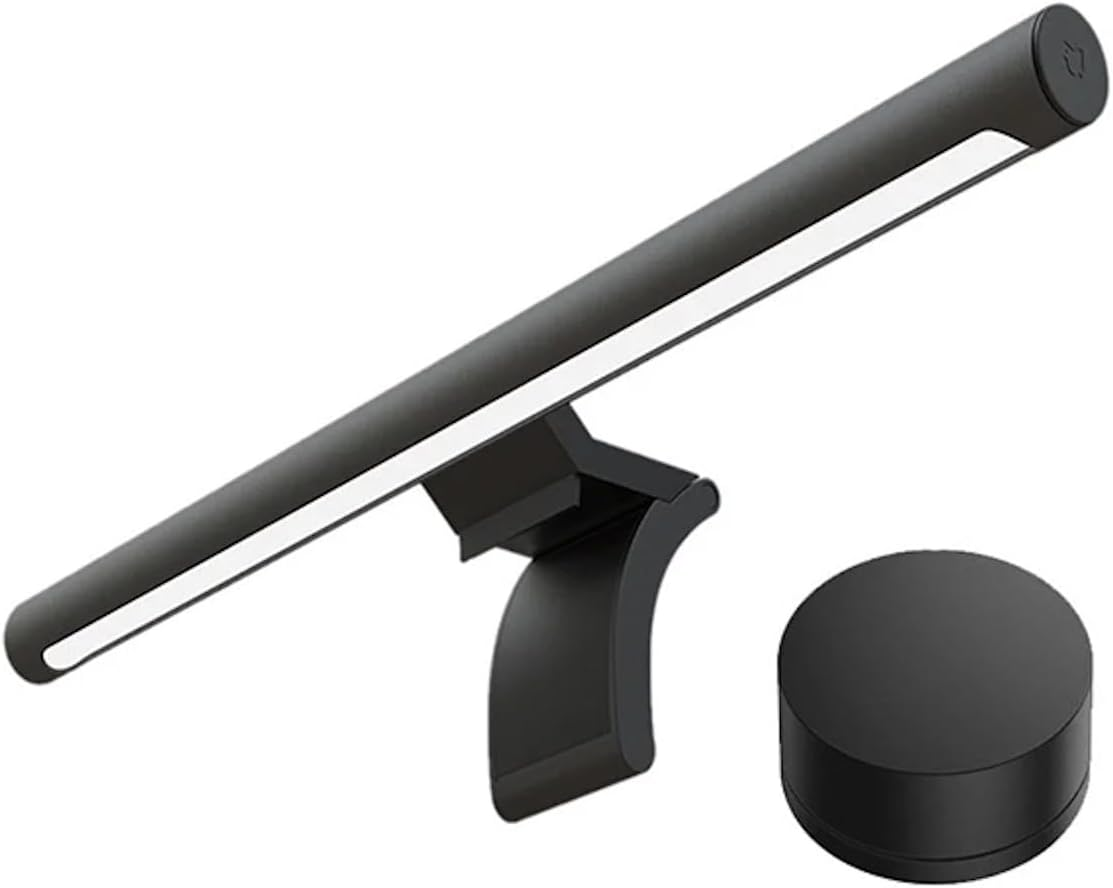
Xiaomi offers a surprisingly high-quality build for the price. It features a wireless magnetic dial that is arguably more tactile than BenQ’s touch controls.
The Trade-off: The "optical cut-off" is not as sharp. You may notice a slight "veiling glare" on the top 5% of your screen compared to BenQ’s surgical precision.
Best for: Setup geeks on a budget who want a wireless desk dial.
Check Xiaomi Light Bar on Amazon
2. YEELIGHT Monitor Light Bar (Pro): The Gamer's Logic
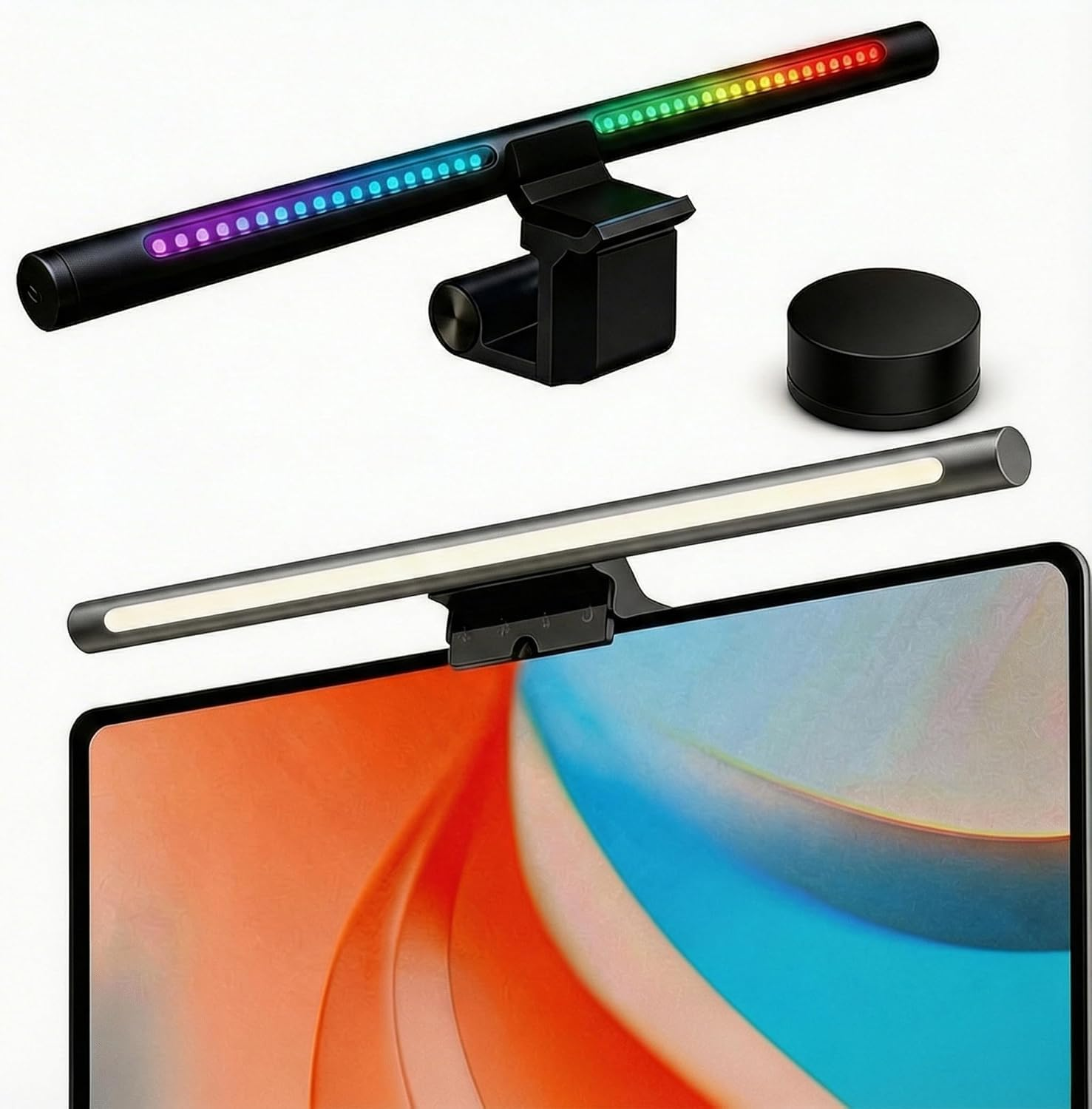
YEELIGHT adds a back-facing RGB strip that integrates with Razer Chroma and Overwolf.
The Trade-off: While the front light is decent, the back-light is mostly for "vibe" and adds little to actual visual productivity. The software can be finicky compared to the "plug and play" reliability of BenQ.
Best for: Users who want their lighting to react to their PC's "battle station" environment.
3. Quntis Monitor Light Bar PRO+: The Practical Mid-Tier
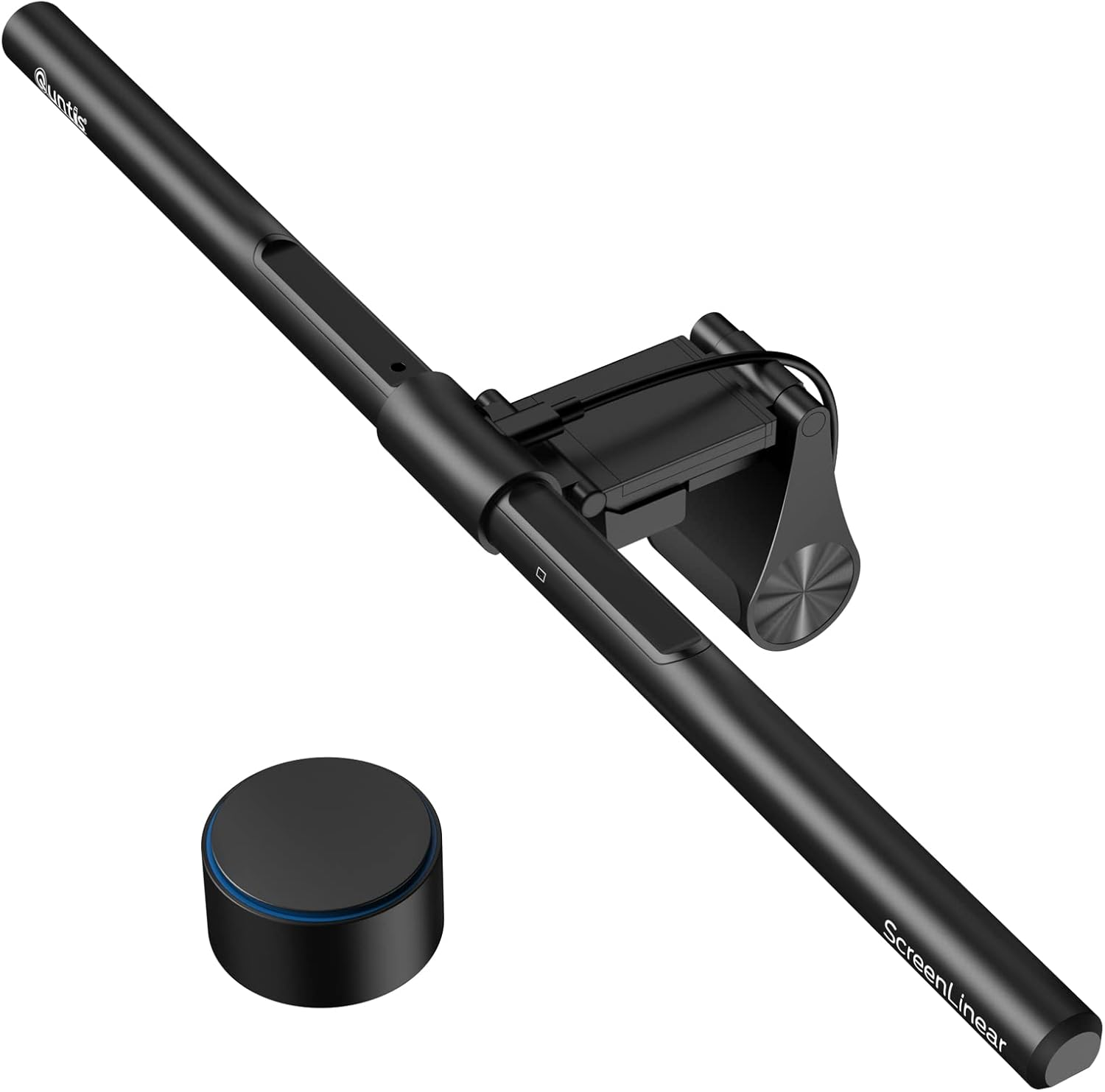
Quntis has gained traction for offering an external wired remote and a high CRI for a fraction of the cost.
The Trade-off: The mounting system is significantly bulkier and the plastic build quality feels less like "professional gear" and more like a "consumer gadget." The light beam pattern is wider, meaning more potential for screen reflections.
Best for: Professionals who want a remote control and high color accuracy without the "BenQ Tax."
The Expert Verdict
If you are optimizing a high-performance system where screen contrast and eye health are the primary KPIs, the BenQ ScreenBar remains the gold standard. It has the cleanest optical "shelf" (the line where light stops hitting the screen). However, if you are a setup enthusiast who prioritizes a clean desk, the Xiaomi wireless dial offers a superior "interaction experience" despite the slightly inferior optics.
Trade-offs & Considerations
No tool is perfect. If you're building a high-end system, watch out for these "technical debts":
Webcam Friction: If you use a top-mounted webcam like a Logitech Brio, it’s going to fight the ScreenBar for territory. You’ll likely need to offset your camera or buy a third-party mounting bracket.
Tactile Friction: The base model has touch controls on top of the bar. If your monitor is mounted high for ergonomic reasons, reaching up to change settings is a minor annoyance. If you have the budget, the ScreenBar Halo with the wireless dial is a significant "Quality of Life" upgrade.
Cable Routing: It’s one more wire. To keep your setup "clean," you absolutely need to route this through your monitor’s internal USB hub.
The Verdict: Who Should Buy?
The Power User: If you're at your desk for 8-12 hours, this is a medical-grade upgrade for your eyes.
The Minimalist: If you hate clutter but need light.
The Setup Geek: If you value industrial design and want to free up space on your desk pad.
The Remote Professional: If your home office lighting is inconsistent or relies on poor-quality overhead bulbs.
Who should skip it?
Laptop-only users. If you don't have an external monitor, this bar is too wide and heavy. Look for a dedicated laptop light or the BenQ e-Reading desk lamp instead.
Are you ready to stop working in a dark cave and start optimizing for your eyes?
The BenQ ScreenBar is a "set and forget" module that fundamentally improves the biological comfort of your workspace. While the price point is higher than the cheap knock-offs you see on Amazon, the optical precision and build quality justify the investment. It’s the difference between a tool that works and a tool that is engineered.
Recommended Guides For You: