
This post contains links that help me fund more late-night dev sessions. If you use the code HFV6PL3D at checkout, you’ll get 10% off and I might finally be able to afford that custom split keyboard I've been eyeing.
The "Too Many Keybinds" Mental Load
If you’re anything like me—constantly switching between VS Code, OBS, Final Cut, and Discord—you’ve hit the limit of what a standard QWERTY keyboard can do.
My workflow used to be a series of finger-twisting shortcuts like Cmd+Shift+Option+L. I tried memorizing them. I tried sticky notes on my monitor bezel. I even tried a cheap 9-key mechanical macropad, but without visual feedback, I’d forget which key did what within three days.
The "Gold Standard" was always the Elgato Stream Deck, but let's be honest: the price for the "XL" versions with knobs is enough to make any budget-conscious developer flinch.
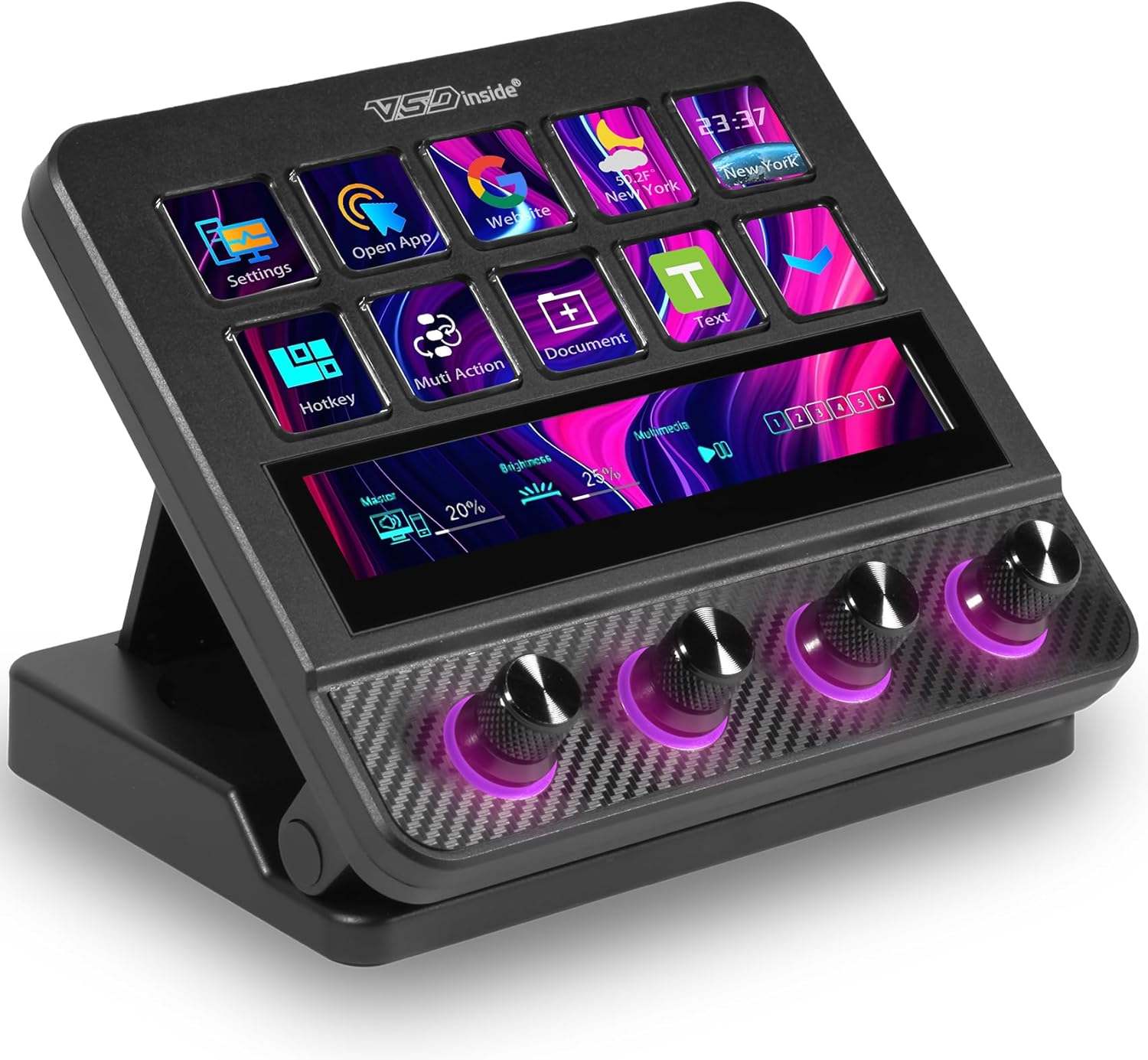
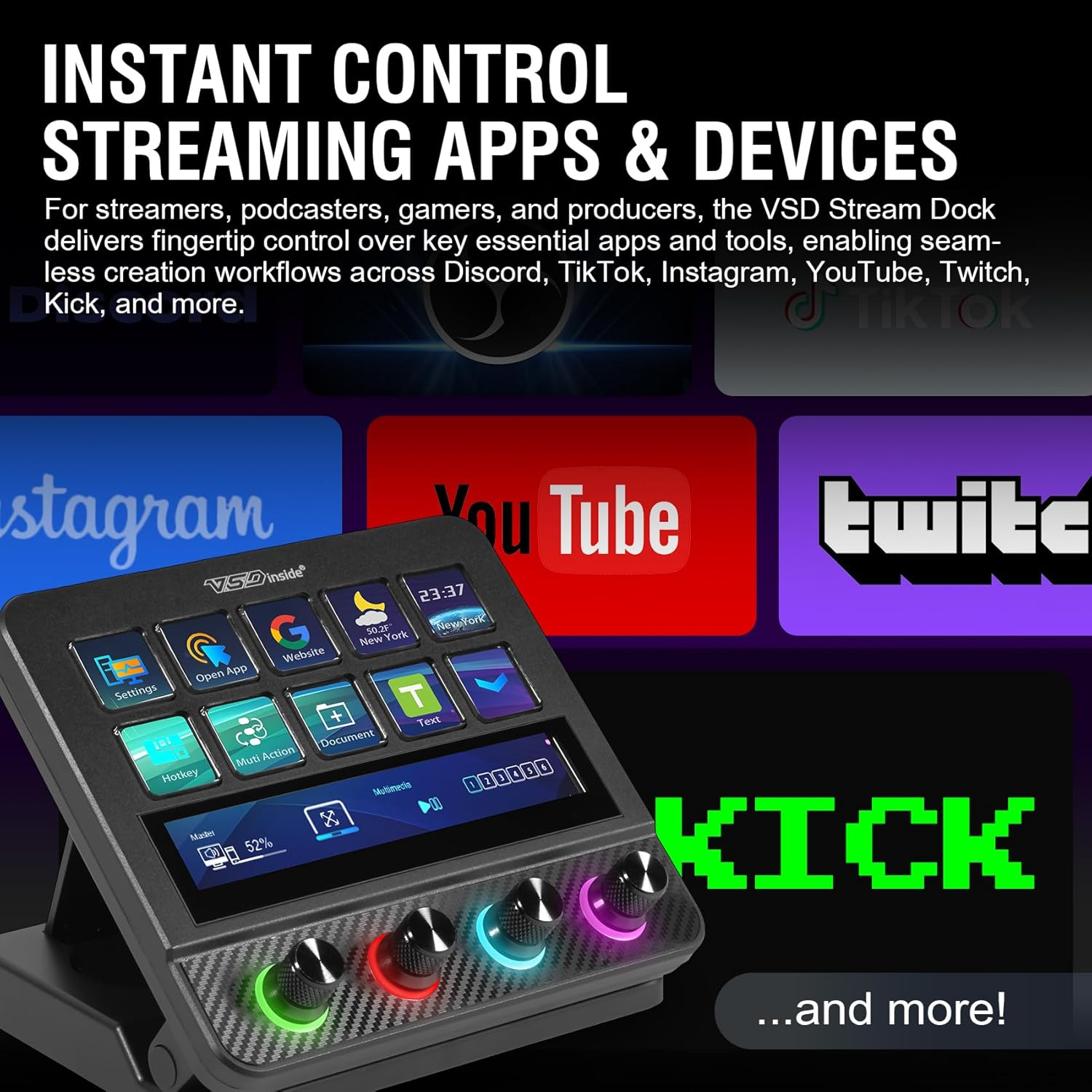
Then I went down the rabbit hole and found the VSDinside N4 Pro. It’s a hybrid: 10 LCD keys, 4 physical knobs with their own displays, and a long TouchBar. It looked like the "everything-and-the-kitchen-sink" of controllers. I bought it to see if it was a pro-grade tool or just a plastic "feature-salad."
The Hardware Setup: Knobs, Screens, and Haptics
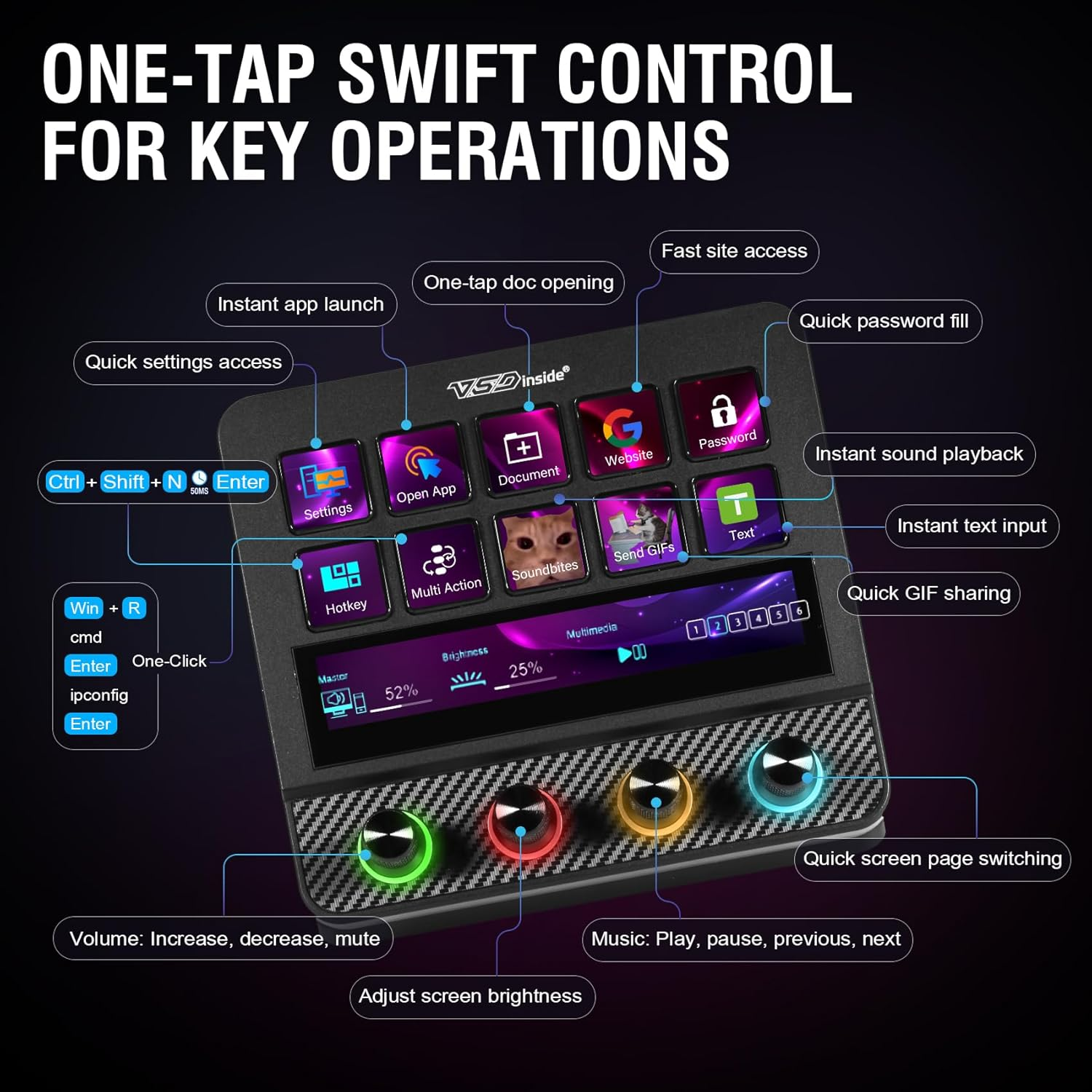
The first thing that hits you about the N4 Pro is the interface variety. Unlike the standard "grid of buttons," this feels like a miniature mission control station.
The LCD Keys (10): These are your standard macro triggers. You can drop GIFs, PNGs, or text icons on them.
The Knobs (4) + Touch Displays: This is where the VSDinside wins. Each knob has a tiny screen behind it. I use these for volume mixing (Spotify vs. System vs. Discord) and scrubbing through video timelines.
The TouchBar: This acts as a secondary info-display or a scene switcher. It's surprisingly high-res for a utility bar.
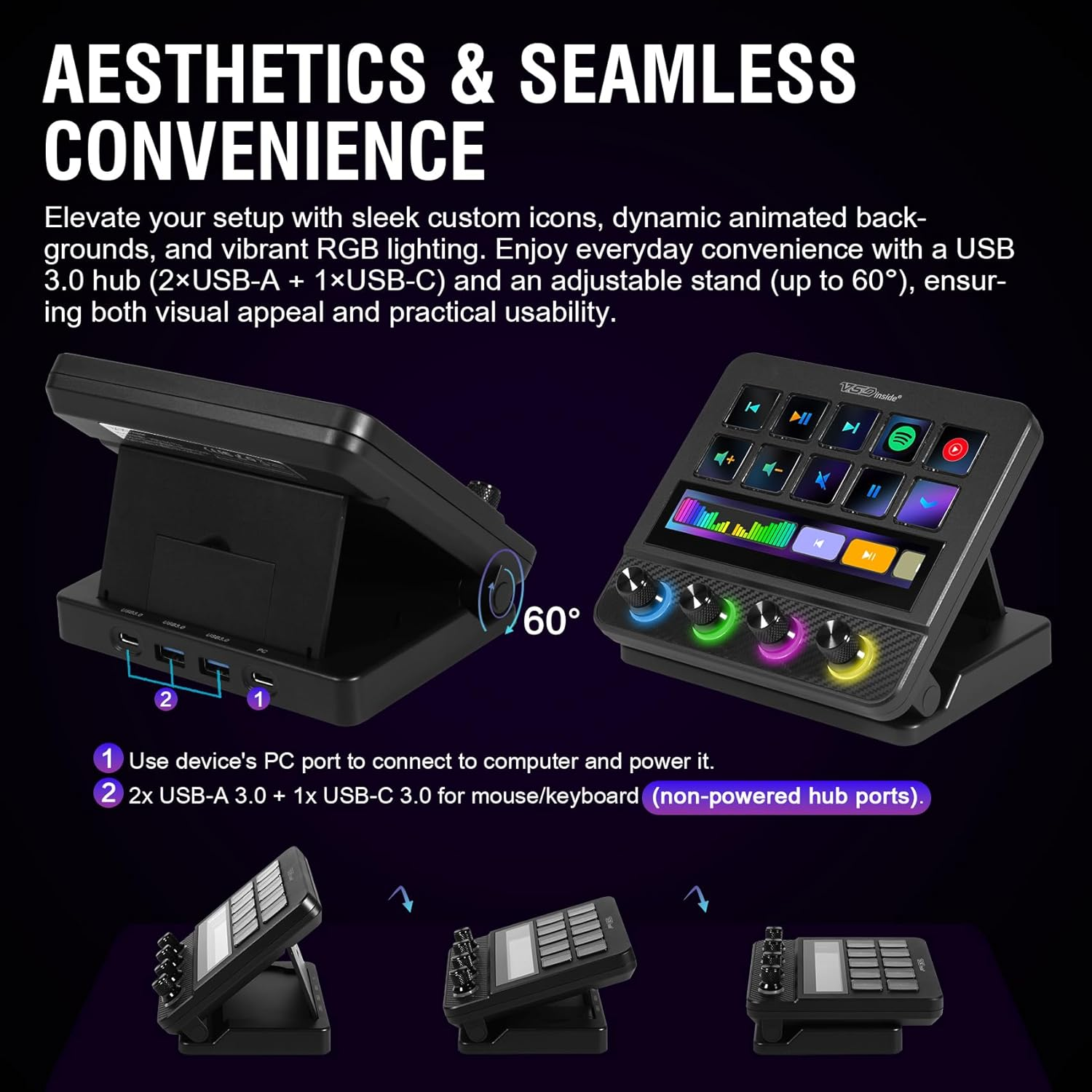
The Build: It has a carbon-fiber-esque overlay. It’s plastic, yes, but it doesn't feel hollow. Plus, it has toggleable haptics—so you get a physical "click" feeling when you touch the screen keys.
Real-World Use: Not Just for Twitch
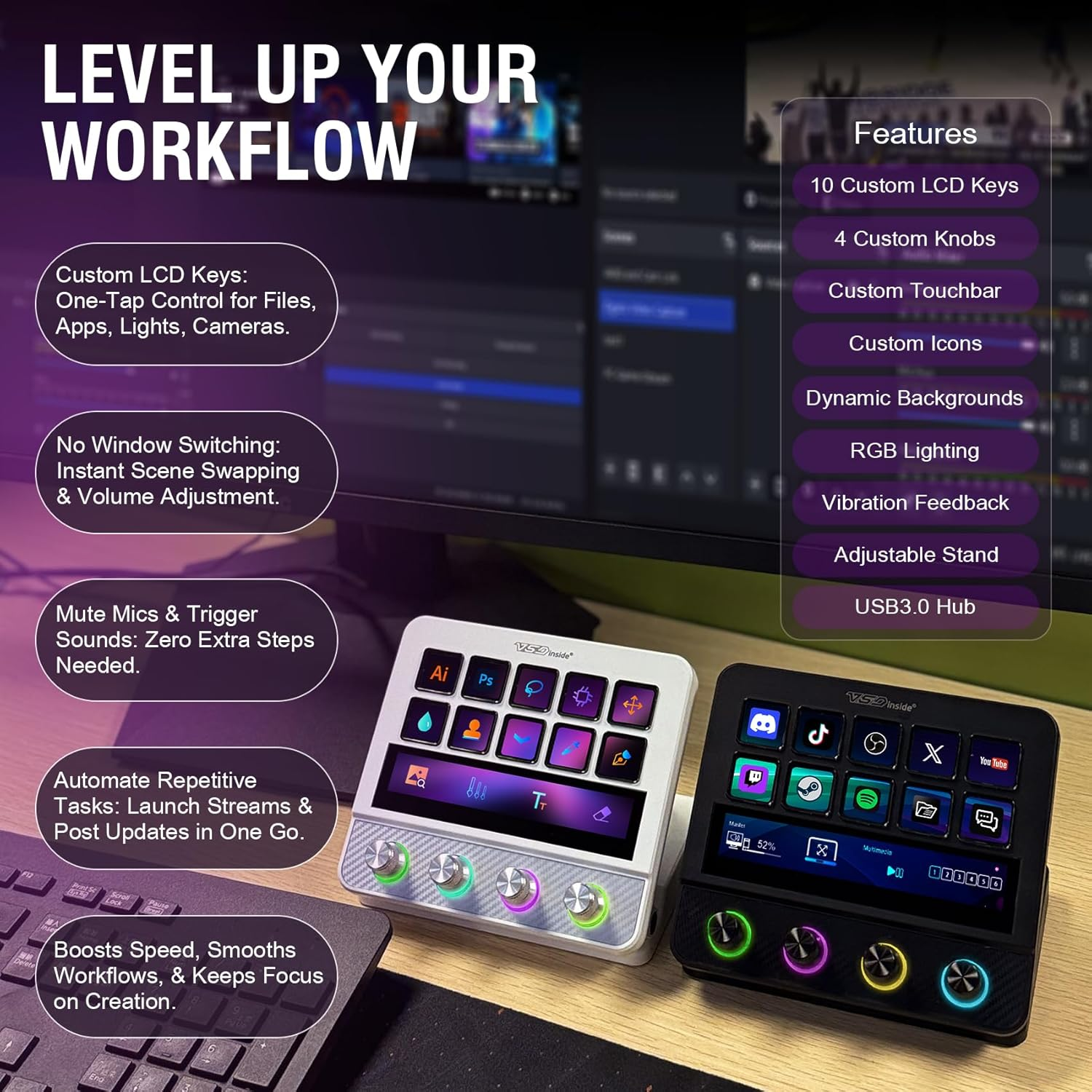
I’m a streamer on Tuesdays, but I’m a programmer and editor the other six days. Here is how this actually changed my system:
For Video Editing: I mapped the knobs to the "Zoom" and "Jog" functions in Final Cut. Being able to scrub a timeline with a physical dial instead of a mouse click feels... expensive.
The "Operation Follow" Macro: I set up a "Deep Work" button. One tap closes Chrome, opens VS Code, starts a Pomodoro timer on the TouchBar, and launches a "Lofi Girl" Spotify playlist.
The USB Hub: It actually has a 2x USB 3.0 + 1x USB-C hub on the back. For someone with a MacBook and limited ports, having a place to plug in my mouse dongle directly into the deck is a massive underrated win.
The Honest Breakdown: Pros vs. Technical Debt
The Wins:
Value King: You get knobs and a TouchBar for about the price of the smallest competitor deck.
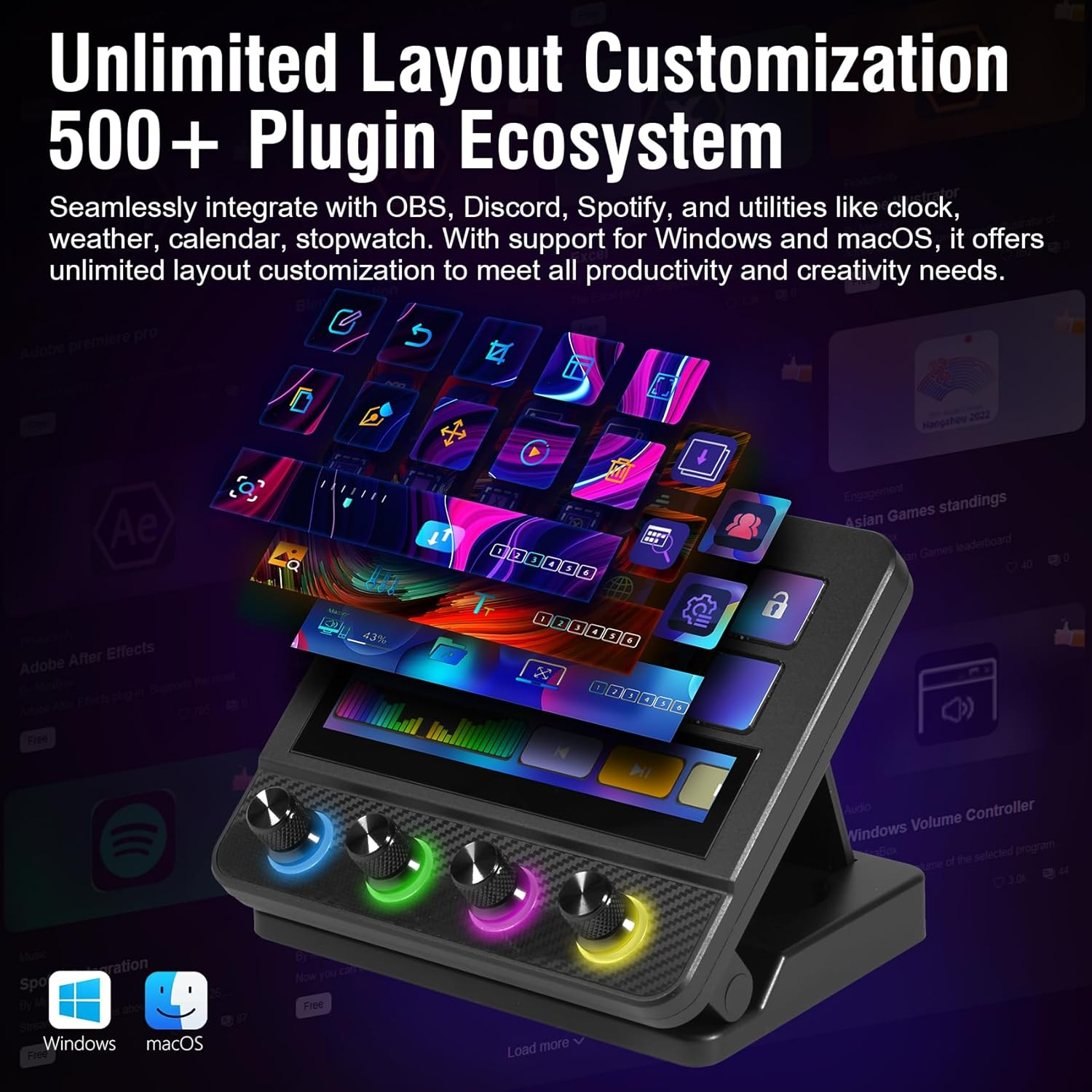
Plugin Ecosystem: It integrates natively with OBS, Discord, and Spotify. It even has a weather and CPU monitor plugin.
Visual Flair: The RGB knobs sync with your audio. Is it necessary? No. Does it look cool during a 2 AM coding session? Absolutely.
The Friction (Cons):
The Software: Like most third-party controllers, the software is powerful but has a slight learning curve. It’s not as "Apple-smooth" as Elgato’s, but once you set your pages, you rarely touch it again.
Non-Powered Hub: The USB ports on the back are great for a mouse or a flash drive, but don't try to power an external hard drive or a high-end webcam through them.
Comparison: VSDinside vs. Elgato Stream Deck +
Feature | VSDinside N4 Pro | Stream Deck + |
|---|---|---|
LCD Keys | 10 | 8 |
Knobs | 4 (with displays) | 4 |
Touch Strip | Yes | Yes |
USB Hub | Yes (3 Ports) | No |
Price | ~$100 (w/ code) | ~$199 |
The Verdict: If you are a brand loyalist who wants the "safest" software, go Elgato. But if you are a gear nerd who wants more keys, more ports, and a better aesthetic for literally half the price, the VSDinside is the smarter move.
Who is this for? (And who should skip it?)
Buy this if:
Content Creators: You need to switch scenes in OBS and adjust audio levels mid-stream without looking away from the camera.
The "Tab-Heavy" Professional: You have 50 apps open and need a physical way to navigate.
The Aesthetic Seeker: You want that carbon fiber/RGB look to complete your desk setup.
Skip this if:
You only use 2-3 shortcuts total (your keyboard's function row is enough).
You have zero tolerance for installing non-mainstream software.
Final Thought: Is it the "Ultimate Companion?"
I thought this was going to be a "budget compromise." After two weeks, I realized the knobs alone make it superior to the basic button-only decks. It’s become the "brain" of my desk.
Pro Tip: Use the promo code below. At the discounted price, the value-to-performance ratio is basically unbeatable in the current market.
10% Off Promo Code: HFV6PL3D
Recommended Guides For You:
- The Best Monitors for Office Work in 2026: The Ultimate Productivity Tools
- Work Environment Setup Guide
- Roost V3 Review: Is This $90 Plastic Skeleton Actually the Best Portable Laptop Stand?
Disclaimer: This post contains a link that helps me keep the lab running at no cost to you. I only document tools that actually survive my workflow.