
Why Every Developer I Know is Swapping Their Office Keyboard for the Keychron K8 Pro
Most 'pro' keyboards are just office plastic with a higher price tag. But after 10,000 lines of code on the Keychron K8 Pro, I’ve realized it isn't just an upgrade—it’s a completely different way to work. If you've ever felt that 'mushy' resistance during a late-night sprint, you know exactly the friction I'm talking about. This board is how you fix it.
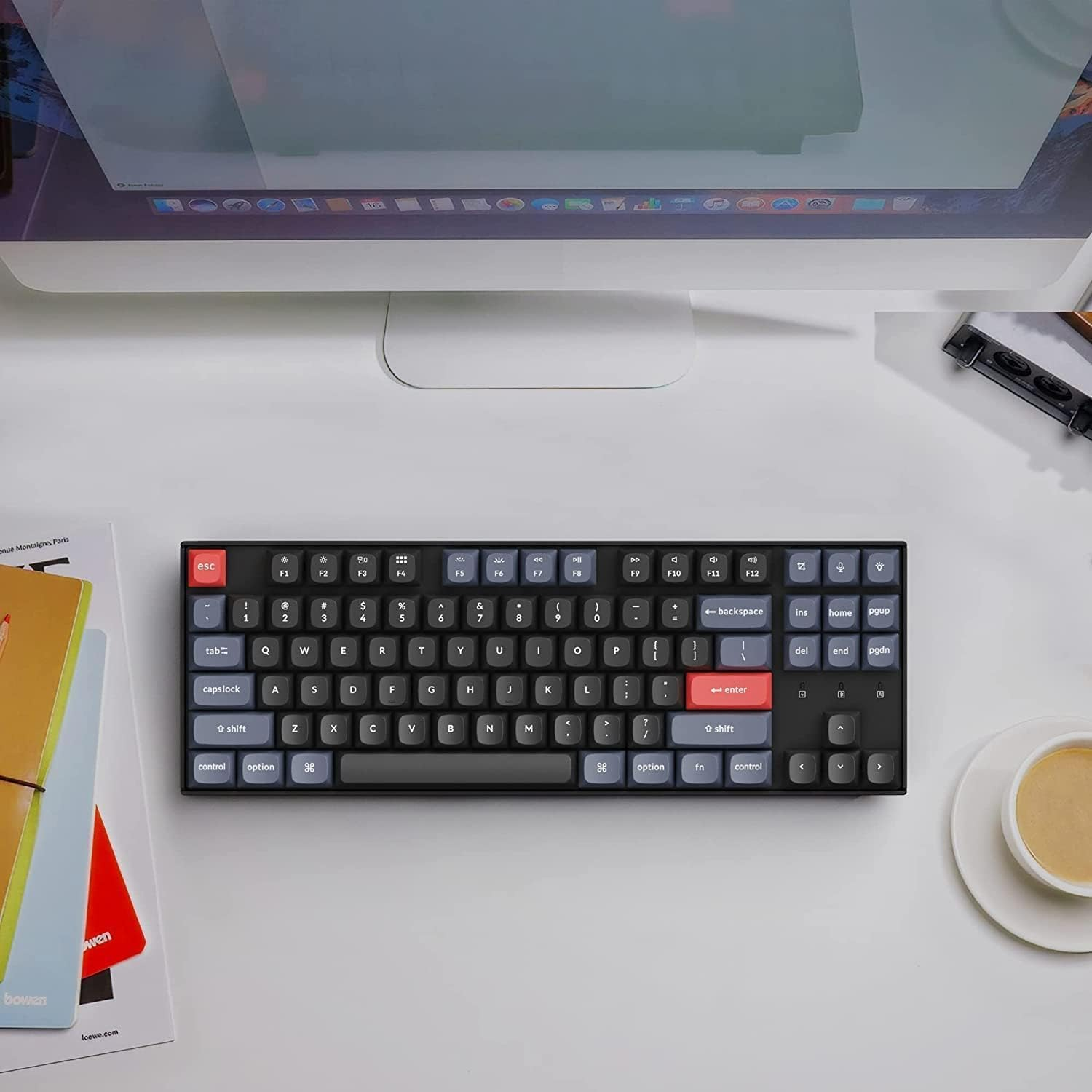
At Productivity Lab, we look for tools that remove that friction. The Keychron K8 Pro is one of the few boards that bridges the gap between hobbyist "enthusiast" gear and a reliable, professional mechanical keyboard. It’s a Tenkeyless (TKL) board, which is the layout we recommend for most setup optimizations because it keeps your mouse closer to your body, reducing shoulder strain.
This isn't just a slight upgrade to the original K8. It’s a complete overhaul. It was the first wireless board to bring high-end QMK/VIA firmware to the masses—meaning you finally have total control over your workflow.
Keychron K8 Pro At a Glance
| Feature | Specification |
| Layout | 80% Tenkeyless (TKL) |
| Connectivity | Bluetooth 5.1 (3 devices) + USB-C Wired |
| Hot-Swappable | Yes (3-pin & 5-pin support) |
| Keycaps | Double-shot PBT (OSA Profile) |
| Software | QMK / VIA / Keychron Launcher |
| Build | Aluminum Frame + ABS Bottom |
| Price Range | $$ (Approx. $100 - $130) |
The Build: A Heavy-Duty Professional Mechanical Keyboard
When you first pull the K8 Pro out of the box, the weight hits you. At over 2.2 lbs (1kg), it feels like a piece of industrial equipment. If you’ve been using a hollow plastic board, the stability here will be a revelation. It doesn't budge, even during your most intense typing sessions.
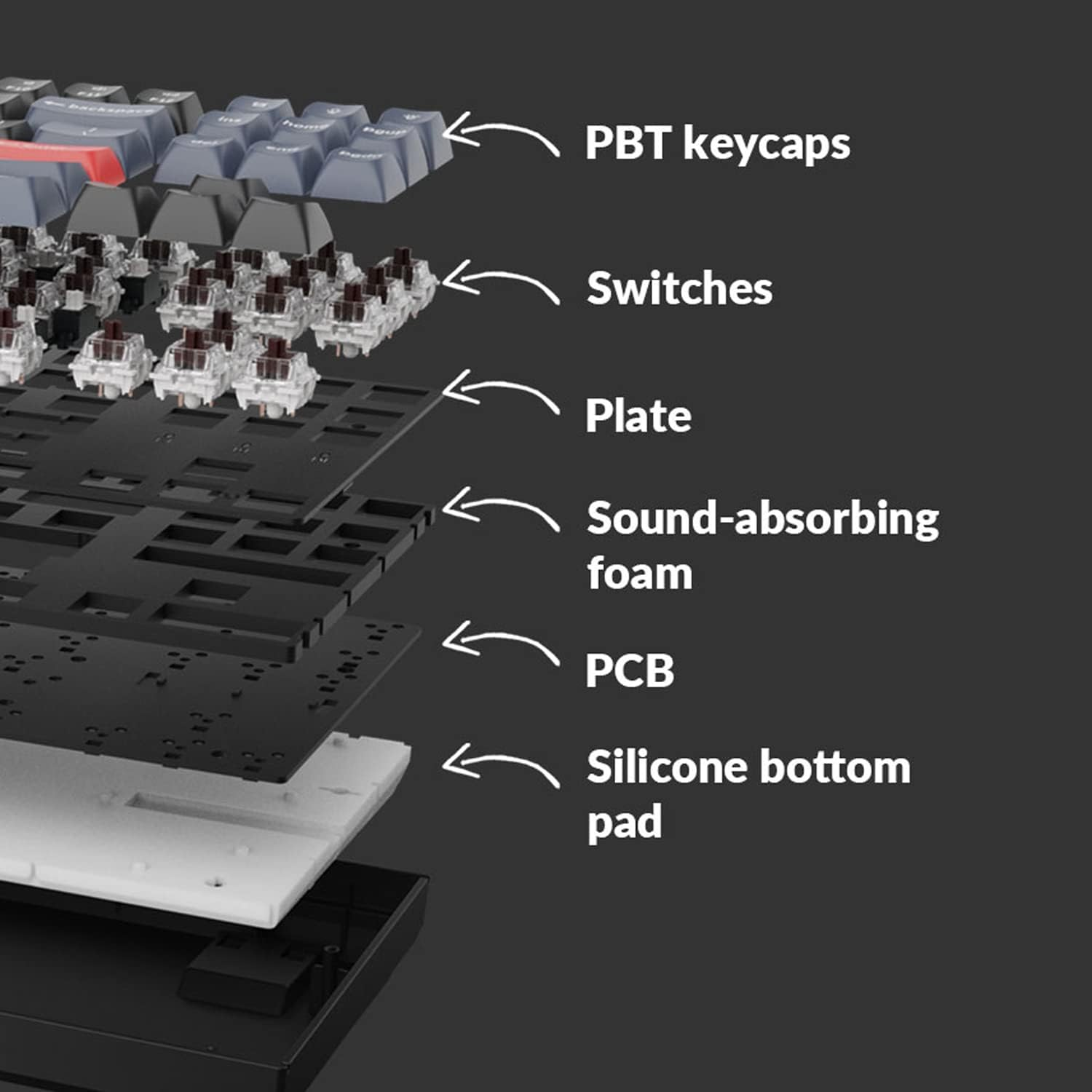
Keychron focused heavily on the internal acoustics for this "Pro" version. They added sound-absorbing foam and a thick silicone dampening pad inside the case. This is a detail usually reserved for custom boards that cost $300+. It kills that "pingy" metallic echo and replaces it with a deep, muted sound—often called a "thock" by those who obsess over keyboard sounds.
If you’re working in a shared office or on a call, the sound is intentional and sophisticated, not distracting. It signals that you are using a serious tool, not a toy.
Typing Feel: Why it's a Top QMK VIA Keyboard for Programmers
The typing experience is where the K8 Pro justifies its price tag. We tested the version with pre-lubed Gateron G Pro switches, and the smoothness is immediate.
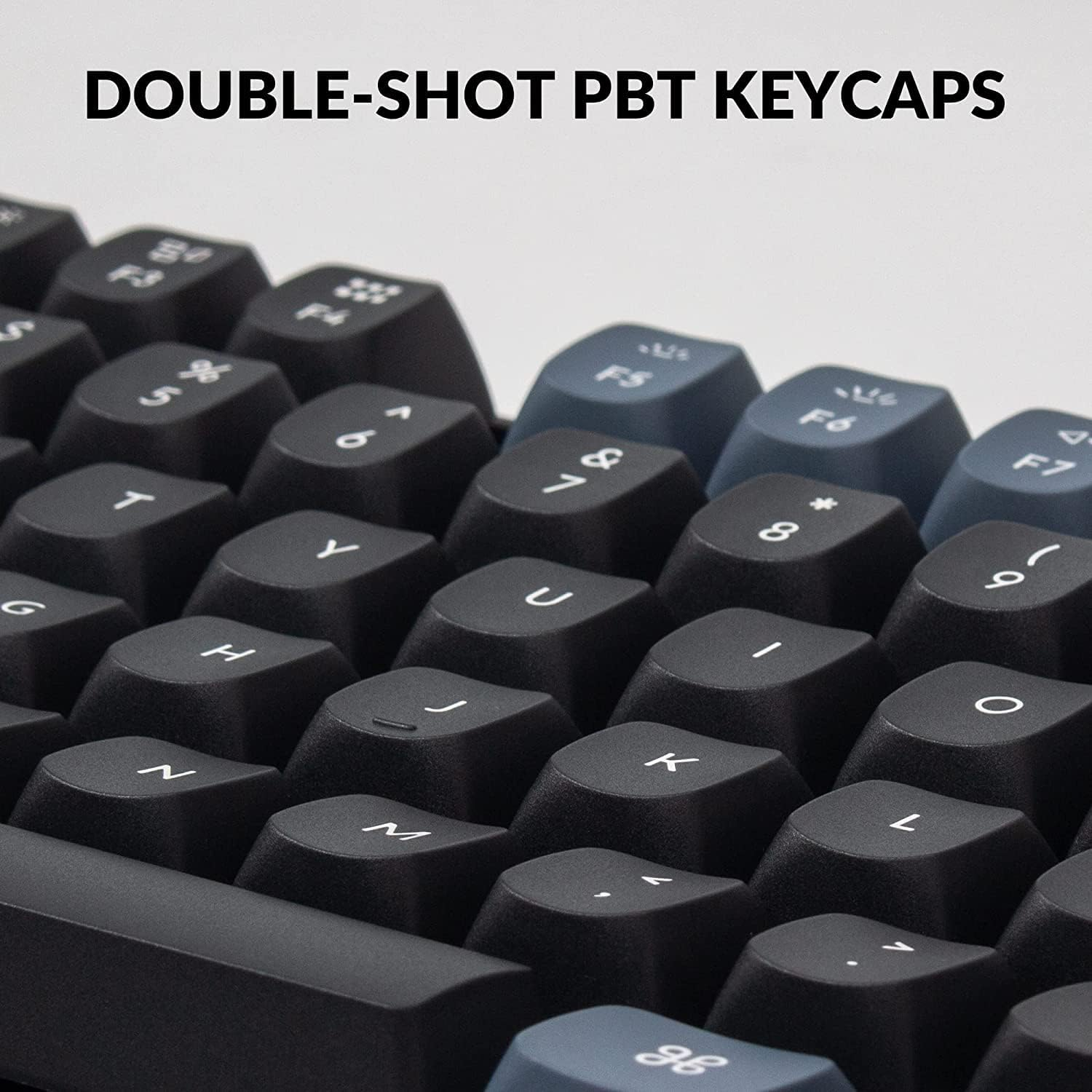
The Keycaps: These use an "OSA" profile. They have the height of a traditional key but with a rounded top and a subtle scoop that catches your fingertips. Because they are double-shot PBT, they won't develop that greasy "shine" after a few months of use—a common problem with the MacBook or cheap Dell boards.
The Stabilizers: The larger keys (Spacebar, Shift, Enter) use screw-in stabilizers. This prevents the annoying rattle found on entry-level boards. The Spacebar feels solid and centered no matter where you hit it.
For those looking to improve their comfort, the tactile feedback helps you avoid "bottoming out" too hard, which reduces finger joint fatigue over long hours.
Mastering the Keychron K8 Pro Mac Setup
One of the biggest hurdles for remote workers is the software. Most "programmable" keyboards require bulky, background-running drivers. The K8 Pro uses VIA, which is a web-based interface. You just plug in, open your browser, and remap keys on the fly.
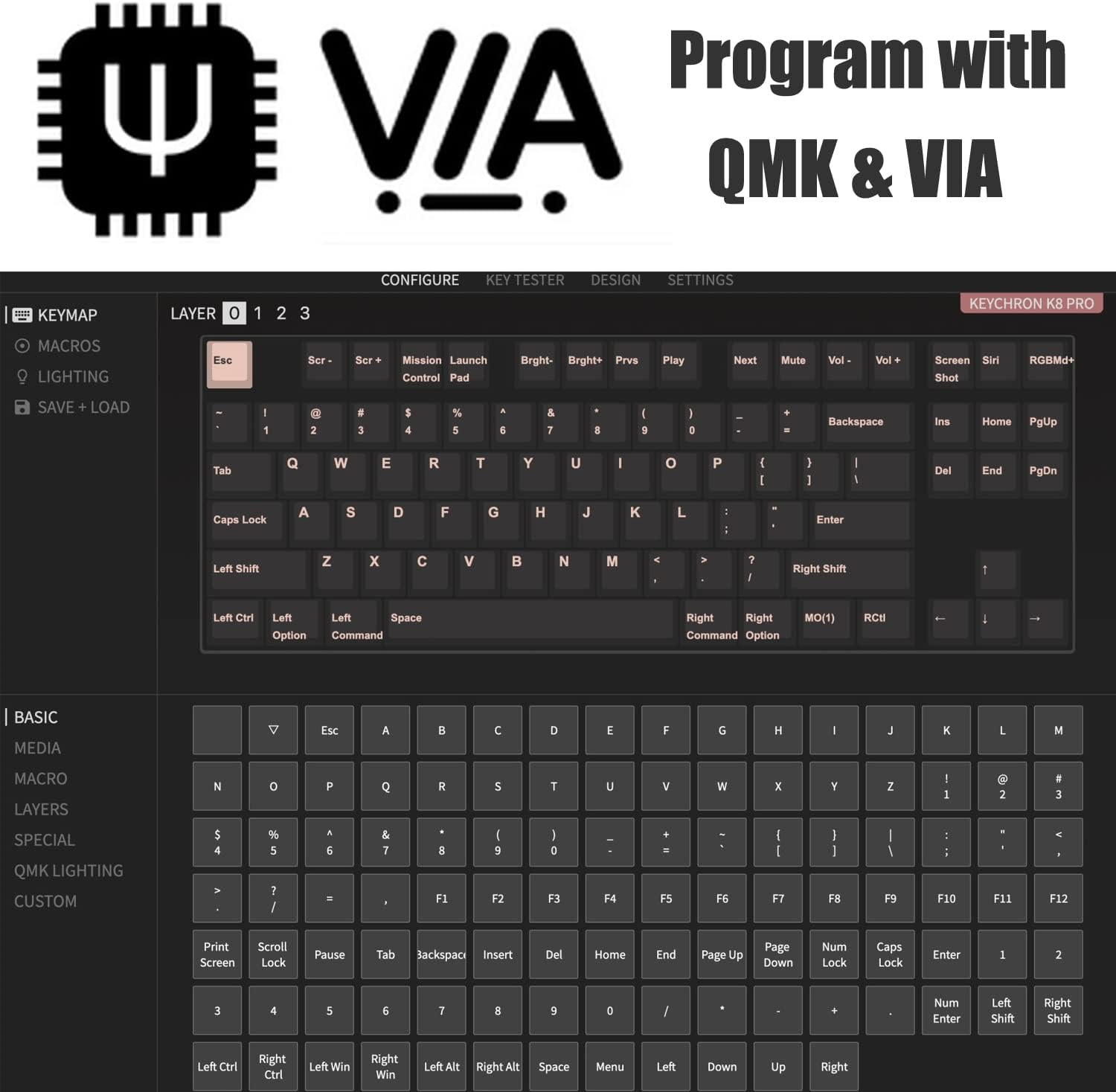
For a Keychron K8 Pro Mac setup, this is a dream. You can perfectly mirror the macOS layout, or better yet, improve it:
The Vim Shortcut: Map Caps Lock to Escape for faster navigation.
The Workflow Hack: Create a macro for git commit or your most-used IDE snippets.
The Physical Toggle: There is a switch on the side to flip between Mac and Windows modes instantly. It even comes with specific keycaps for both operating systems.
Expert Pairing Recommendations
A great keyboard is only one part of a high-performance environment. To maximize your efficiency, we suggest looking at these pairings:
The Mouse: Since the TKL layout saves desk space, it pairs perfectly with a Logitech MX Master 3S. This combination keeps your arms at a natural width, preventing shoulder tension.
The Wrist Rest: Be aware that the K8 Pro is a tall board (about 4cm at the front). To maintain proper workspace ergonomics, we highly recommend a wooden or foam wrist rest. This prevents your wrists from "cocking" upward, which is a major cause of strain.
The Connectivity: You can pair it with up to three Bluetooth devices. Switching between your work laptop and personal PC is a simple key combo, making it ideal for multi-machine setups.
Pros and Cons
The Good:
Internal Dampening: The silicone padding provides professional-grade acoustics.
QMK/VIA Support: Hardware-level remapping without installing software.
Build Quality: The aluminum frame makes it feel significantly more premium than its price suggests.
The Not-So-Good:
Height: You will likely need a wrist rest for long-term comfort.
No 2.4GHz: It relies on Bluetooth or Wired. While Bluetooth 5.1 is stable for coding, gamers might miss the dedicated dongle.
The Verdict: High ROI for Your Workspace
At Productivity Lab, we view tools through the lens of ROI (Return on Investment). For roughly $110, the Keychron K8 Pro offers a typing experience and build quality that used to cost twice as much. It is a reliable, professional-grade entry into the world of high-end mechanical keyboards.
Choose the K8 Pro if: You want a clean, professional TKL setup that you can customize to your exact workflow. It’s the perfect "step up" for anyone serious about their work environment.
Skip the K8 Pro if: You absolutely need a number pad for spreadsheets, or if you need an ultra-slim travel board. For those on the move, the NuPhy Air75 might be a better fit.
Ready to complete your setup? Read our guide on the Best Ergonomic Mouse for Remote Work to find the perfect partner for your new keyboard.