In 2026, the standing desk has evolved from a "health fad" into the literal foundation of the high-performance workspace. But for the enthusiast, the "best" desk isn't just about moving up and down; it’s about lateral stability, motor decibels, and cable management ecosystems.
If your desk wobbles when you type at 45 inches, or if your cable nesting looks like a disaster zone, you don't have a pro setup—you have an expensive table. We’ve benchmarked the latest 2026 releases to find the desks that actually hold up under the weight of triple-monitor arms and heavy-duty PC towers.
The 2026 Standing Desk Power Rankings
| Category | Winner | Key Strength | Motor Type |
|---|---|---|---|
| Best Overall | Uplift V3 Standing Desk | Infinite customization & 15yr warranty | Dual Motor |
| Best for Multi-Monitor | ApexDesk Elite Pro | Massive contoured surface & 225lb cap | Dual Motor |
| Best for Gamers | Secretlab Magnus Pro | Integrated power column & magnetic CM | Dual Motor |
| Best Value / Eco-Choice | FlexiSpot E6 Bamboo | 3-stage motor & sustainable bamboo | Dual Motor |
| Best High-End Finish | Steelcase Solo | Commercial-grade longevity & "One-Touch" | Dual Motor |
The Undisputed King: Uplift V3 Standing Desk
Best For: The "Perfect Setup" Optimizer.
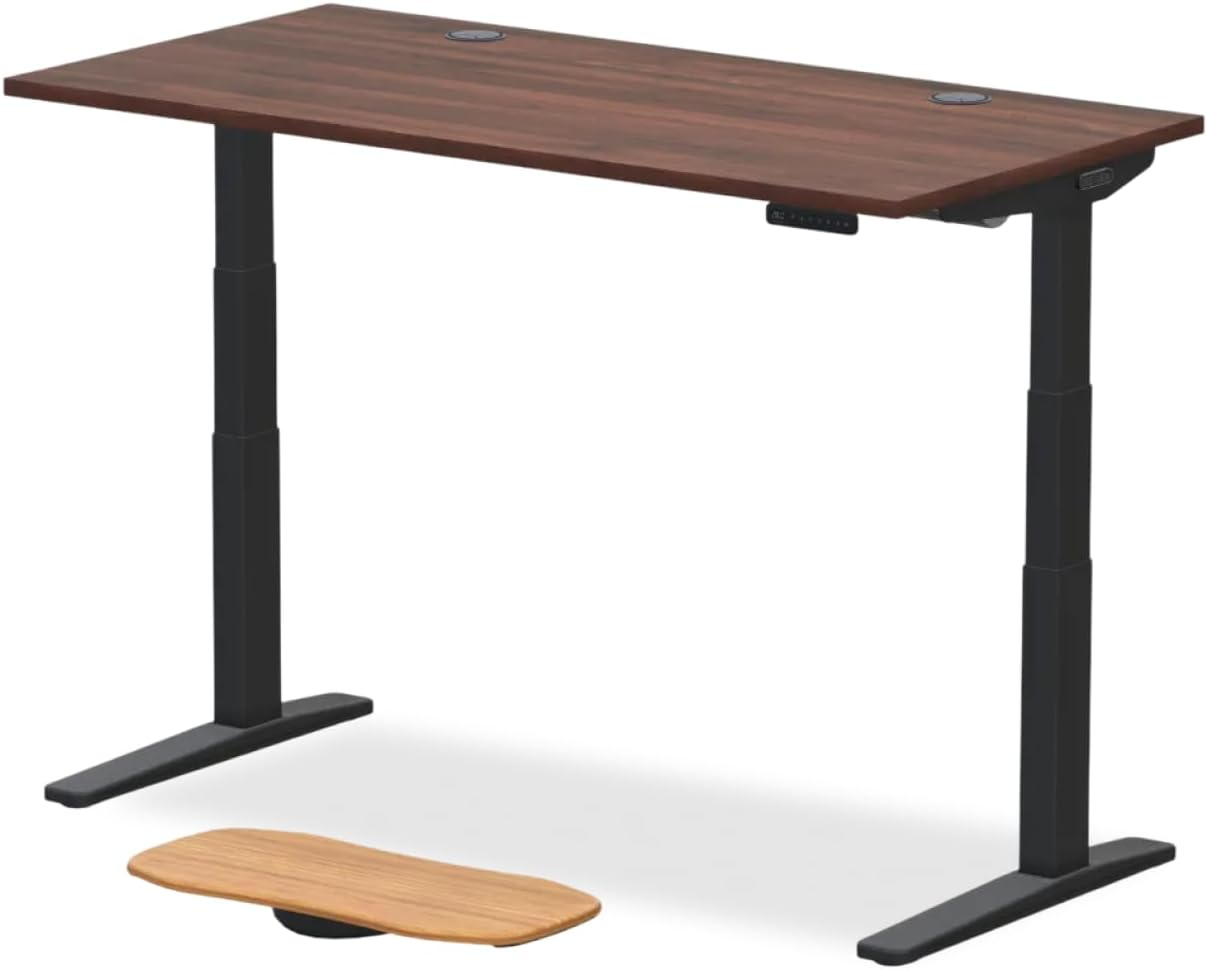
The Uplift V3 remains the 2026 iteration of a legend. The V3 fixes the minor "sway" issues that enthusiasts previously noted at the highest extensions through a re-engineered, crossbar-less frame.
Stability Re-engineered: The V3 manages to be more stable than previous models with traditional crossbars, supporting up to 355 lbs. You can mount a 49-inch ultrawide and a full desktop PC without the motors breaking a sweat.
The "Floor" Feature: Unique to the V3 is its ability to go as low as 22.6 inches. For those who like to work from a floor cushion or "seiza" style occasionally, this is the only pro-grade desk that allows it.
Verdict: With a 15-year warranty covering the motor and frame, this is the safest "BIFL" (Buy It For Life) investment in the market.
The Multi-Monitor Powerhouse: ApexDesk Elite Pro
Best For: Power Users & Sprawl-Heavy Workflows.
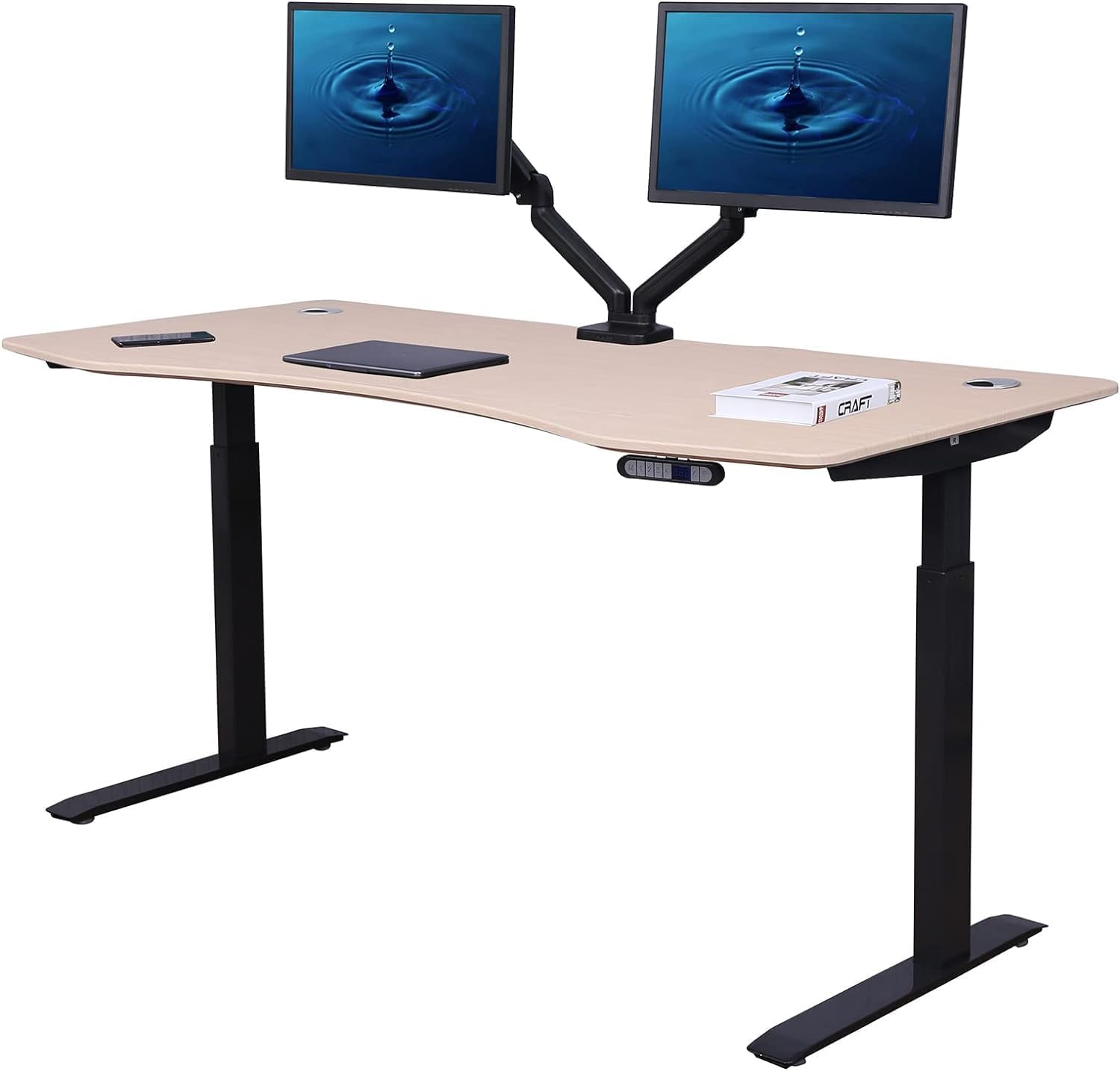
If you’re running three monitors or need room for both a laptop and a dedicated reference area, the ApexDesk Elite Pro is your "command center."
Surface Real Estate: The 71" x 33" top is massive, but the contoured edge allows you to sit "inside" the desk, making the corners more reachable.
Heavy-Duty Logic: Ships in three boxes because the parts are genuinely heavy. This weight contributes to a 225lb lifting capacity and high stability.
Trade-off: It has a significantly larger footprint. If you’re in a small apartment or trying for a "minimalist" look, this might feel like too much furniture.
The Eco-Conscious Benchmark: FlexiSpot E6 Bamboo
Best For: Budget-Premium Balance & Sustainable Style.
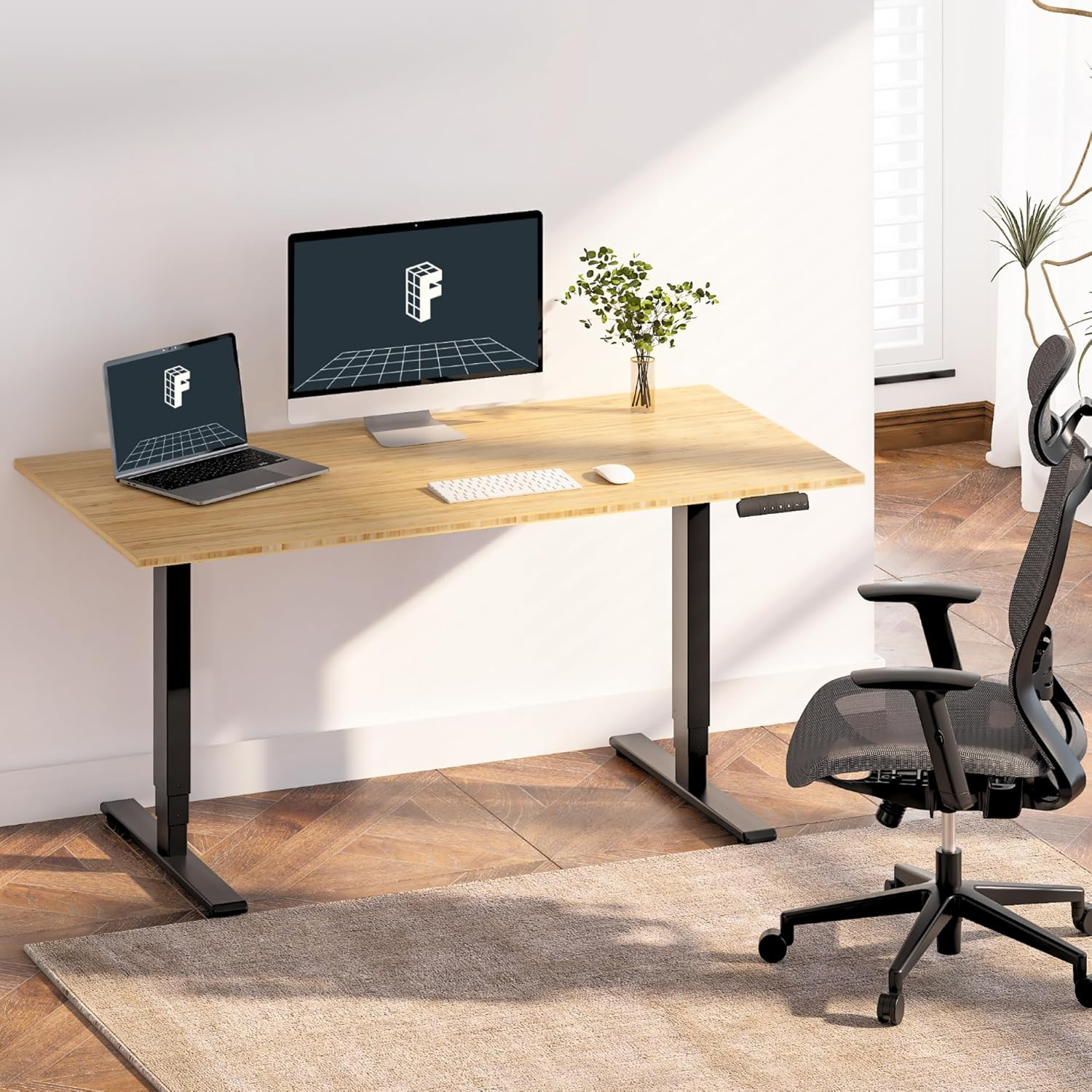
The FlexiSpot E6 moves the brand into "serious contender" territory by pairing a high-performance 3-stage motor with a sustainable bamboo top.
3-Stage Advantage: Unlike cheaper 2-stage desks, the E6’s 3-stage legs provide a wider range and better stability because there is more "overlap" in the steel segments when extended.
Tactile Quality: The bamboo top is surprisingly durable and eco-friendly. It feels warmer and more "organic" than standard laminate or MDF.
Constraint: It has a lower weight cap (approx. 220 lbs) than the heavy-duty "Elite" or "Apex" models. It's perfect for a professional laptop/monitor setup but might struggle with a triple-screen rig and a heavy PC tower.
The Cable Management Master: Secretlab Magnus Pro
Best For: Clean Setup Minimalists & Hardware Enthusiasts.
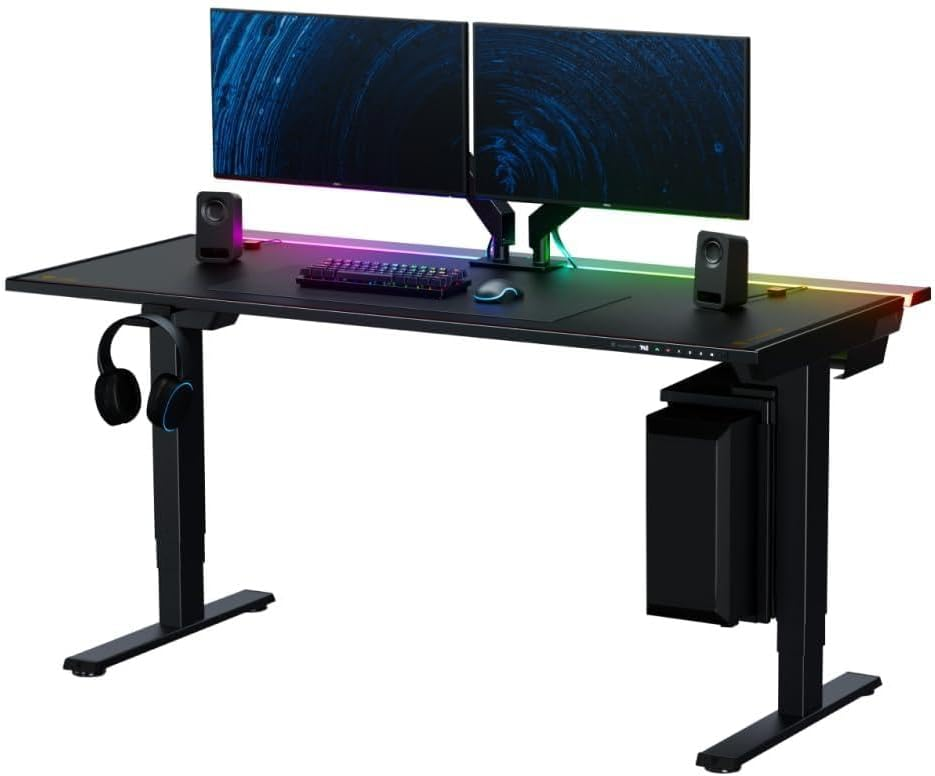
While marketed heavily toward the gaming crowd, the Magnus Pro is actually one of the most sophisticated cable management systems ever engineered for a professional workspace. For the enthusiast who is mentally drained by "visual noise," this desk acts as a functional filter that hides the chaos of a multi-device setup.
World’s First Integrated Power Column: This is the desk’s "killer feature." Instead of a mess of wires snaking down to a wall outlet, you plug a single power cord into the base of the desk leg. That power is routed internally to a built-in electrical socket at the top, allowing you to power your entire setup from within the desk frame itself.
The Full-Length Cable Tray: Forget small, flimsy mesh baskets. The Magnus Pro features a deep, hinged steel compartment that spans the entire rear width of the desk. You can drop massive power bricks, excess monitor cables, and docking stations into the tray and snap the lid shut for a 100% clean profile.
The Magnetic Ecosystem: Since the desktop is made of powder-coated steel, it serves as a canvas for Secretlab’s magnetic accessories. You can use magnetic cable anchors, sheaths, and even a PC mount that clips directly to the frame, ensuring that not a single wire is out of place.
The Professional Trade-off: The Magnus Pro is a "closed ecosystem." While it is incredibly stable and supports up to 265 lbs, you are largely locked into Secretlab’s proprietary tops and accessories. If you have a specific custom wood top you want to use, or if you prefer the warmth of natural walnut, the steel-centric design of the Magnus will be a significant friction point.
Verdict: Choose the Magnus Pro if your primary productivity bottleneck is visual clutter. It is the most "plug-and-play" solution for achieving a high-end, distraction-free environment without spending hours on DIY cable management.
The High-End Alternative: Steelcase AMQ Solo
Best For: Minimalist Design & Corporate-Grade Quality.
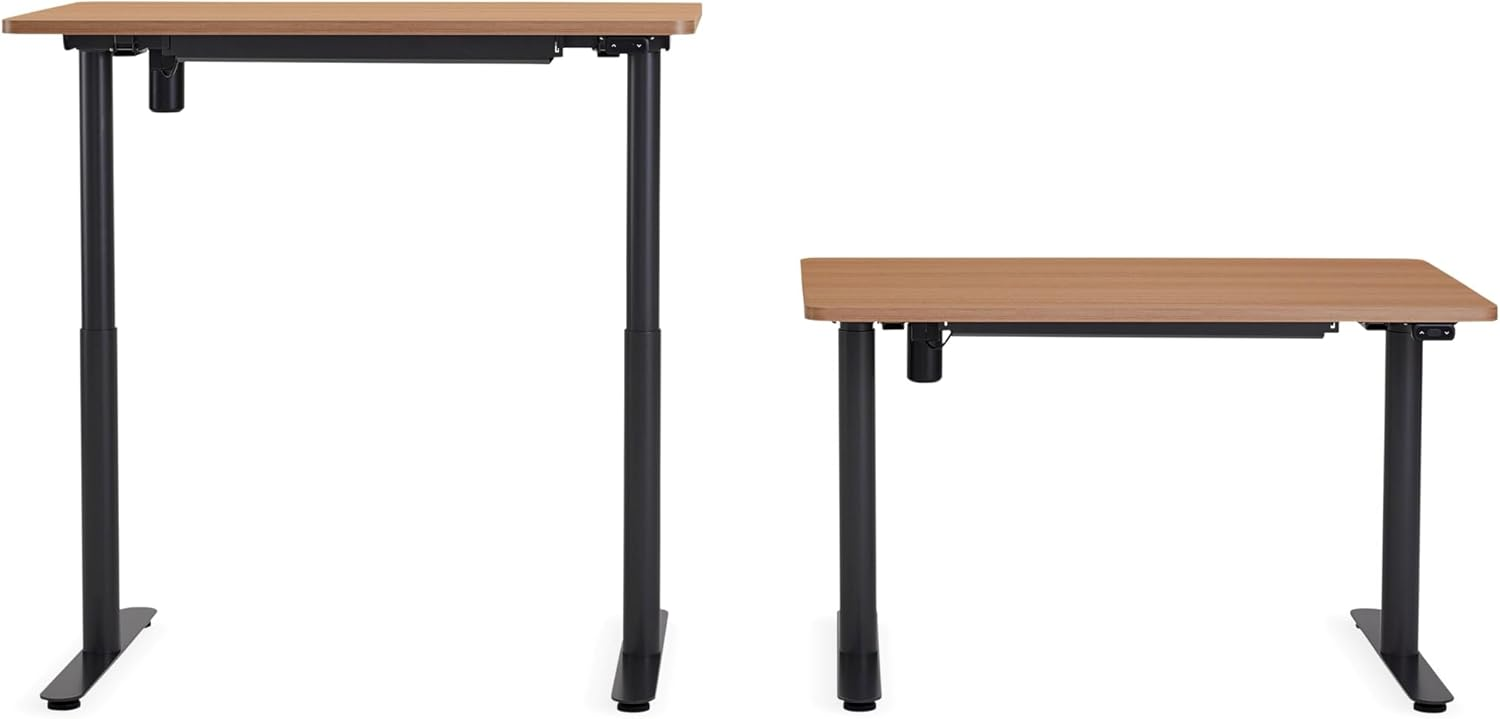
With the retirement of the Fully Jarvis, the Steelcase AMQ Solo has stepped in as the gold standard for those who want a refined, "it-just-works" experience without the industrial look of DIY frames.
Simplified Tech: Features a "Simple Touch" controller—no distracting screens, just a tactile paddle that moves with you.
Obstruction Sensing: Uses high-end sensors to detect the slightest resistance, protecting your expensive office chair or filing cabinets from being crushed.
Verdict: It lacks the "accessory ecosystem" of Uplift, but the build quality is undeniable. This is a desk designed for a 10+ year lifespan in rigorous commercial environments.
The Enthusiast’s Checklist: What to Look for in 2026
When you’re browsing "Money" pages like this, don't get distracted by the wood grain. Focus on the Technical Specs:
2-Stage vs. 3-Stage Legs
2-Stage: Cheaper, limited range (usually 28" to 47").
3-Stage: Essential for professionals. It goes lower and higher (22" to 50"+) and provides much better stability because of the overlap in the steel segments.
Dual vs. Single Motor
Never buy a single-motor desk for a pro setup. They are slow, loud, and prone to "tilting" if your weight distribution isn't perfect. Dual motors are the 2026 standard for precision movement.
Collision Avoidance
Ensure the desk has an Electronic Gyroscope. Cheaper desks use "current-sensing" which only stops after hitting something hard. Pro desks sense the tilt and stop before they crush your gear.
Which Standing Desk Should You Actually Buy? (The Decision Matrix)
Choosing a desk is a high-stakes decision for your system. To make this easier, identify your primary "performance bottleneck" and match it to the solution below.
The "Everything Included" Choice: Uplift V3
Buy this if: You want a seamless experience, a massive 15-year warranty, and the ability to customize every single accessory from one place. It’s the safest, most refined all-rounder.
The Vibe: The gold standard of professional remote work.
See Price & Customization Options on Amazon
The "Power User" Choice: ApexDesk Elite Pro
Buy this if: You have a massive amount of gear (multiple laptops, tablets, and peripherals) and need a deep, contoured surface that lets you "sink into" your work.
The Vibe: A massive command center for those who sprawl.
See Price & Customization Options on Amazon
The "Minimalist Aesthetic" Choice: Steelcase Solo
Buy this if: You want corporate-grade reliability and a clean, understated look. You value a desk that "disappears" into your room and just works without constant tinkering.
The Vibe: Understated luxury and rock-solid engineering.
See Price & Customization Options on Amazon
The "Budget-Premium" Choice: FlexiSpot E6 Bamboo
Buy this if: You want the benefits of a 3-stage motor and a sustainable, high-quality bamboo finish without spending $1,000+. It’s the best ROI for a standard professional setup.
The Vibe: Sustainable, smart, and cost-effective.
See Price & Customization Options on Amazon
Summary Table for Quick Comparison
| If your priority is... | Buy this model: | Main Trade-off |
| Customization/Warranty | Uplift V3 | High entry price |
| Clean Cable Management | Secretlab Magnus Pro | Proprietary ecosystem |
| Desk Surface Area | ApexDesk Elite Pro | Huge footprint |
| Build Quality/Simplicity | Steelcase Solo | Fewer "setup" accessories |
| Value for Money | FlexiSpot E6 Bamboo | Lower weight capacity |