Most people don't realize that they move their mouse up to 17 miles a year. When you are a remote professional, your mouse is essentially a high-performance vehicle for your cursor. If that vehicle has bad alignment, you are going to feel it in your wrist, your elbow, and eventually your neck.
At Productivity Lab, we see a lot of "ergonomic" setups that are actually incomplete. You might have the best mechanical keyboard on the market, but if you are still reaching for a flat, traditional mouse, you are forcing your forearm into an unnatural twist. This is called pronation, and it is the primary cause of strain for knowledge workers in the digital age.
A proper ergonomic mouse allows your hand to sit in a "handshake" position. It reduces muscle activity and prevents the long-term damage that leads to RSI (Repetitive Strain Injury) or carpal tunnel. In this guide, we break down the best ergonomic mice for 2026, providing the technical insights and "consultant-level" advice you need to build a pain-free, high-output workstation.
The 2026 Ergonomic Mouse Matrix
| Product Name | Type | Price Range | Rating | Strengths | Weaknesses | Best For | Upgrade From |
|---|---|---|---|---|---|---|---|
Sculpted Productivity | High-Ticket | 9.8/10 | MagSpeed scrolling, 8,000 DPI, quiet clicks | Heavy (141g), too large for small hands | Power users, multi-device workflows | Fast-paced gaming, travel | |
57° Vertical | High-Ticket | 9.5/10 | 57° "handshake" angle, reduces forearm strain | Large footprint, steep learning curve | Professionals with RSI or wrist pain | Small hands, precision graphic design | |
57° Vertical | Mid-Range | 9.4/10 | Optimized for small to medium hands | Lower DPI than MX Master series | Small-hand ergonomic comfort | Large-handed users | |
Trackball | Mid-Range | 9.2/10 | Stationary use, 0° or 20° tilt adjustment | Requires regular trackball cleaning | Small desks, cluttered workspaces | Users who dislike thumb-control |
1. The Gold Standard: Logitech MX Master 3S
The "Productivity Architect's" Choice
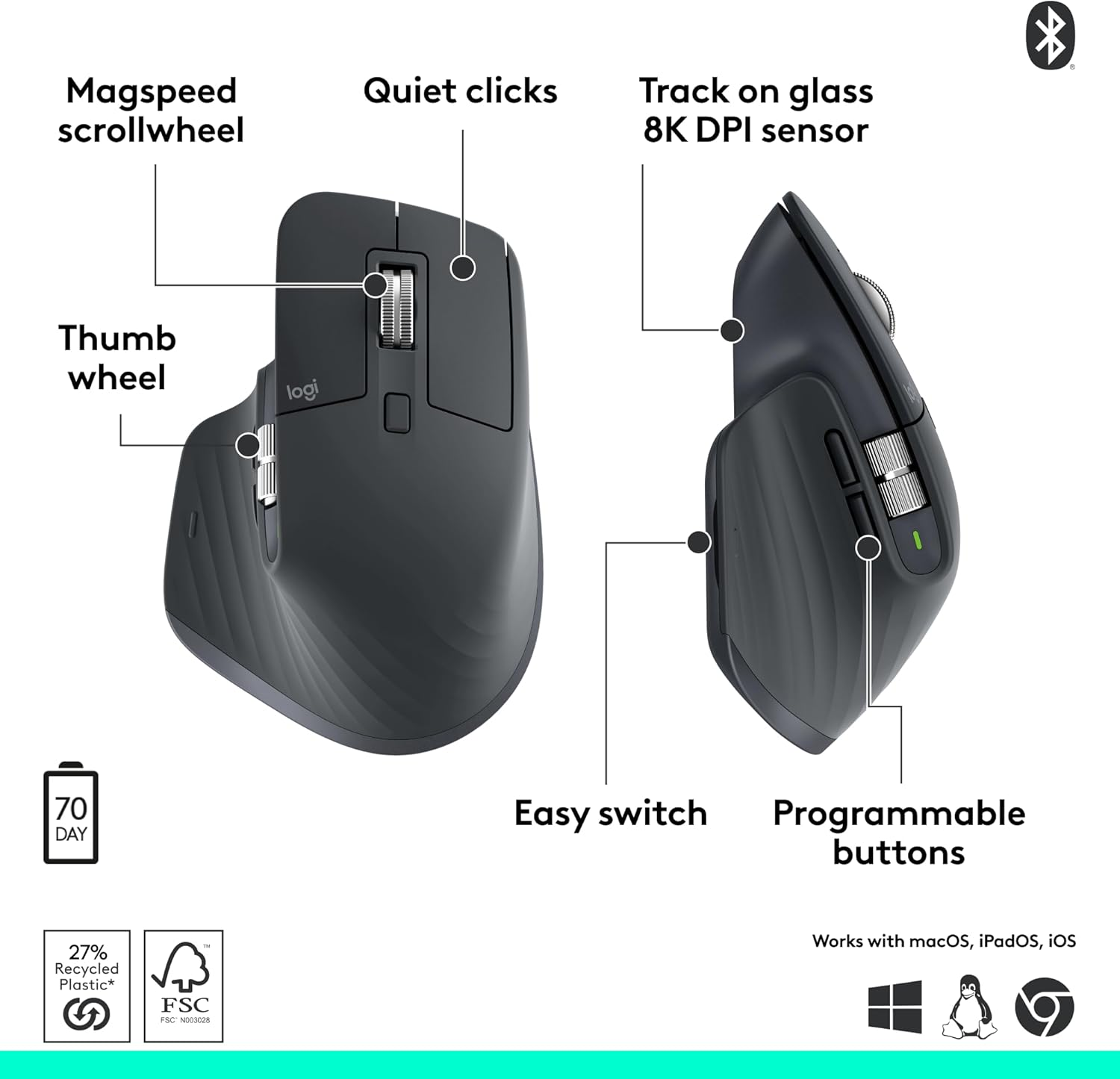
The MX Master 3S isn’t a true vertical mouse, but it is the most ergonomically sculpted "traditional" mouse ever made. It is designed to support the natural curve of your palm and thumb while providing a suite of tools that make a standard mouse feel like a toy.
Why it dominates the workspace:
The magic of the 3S is the MagSpeed electromagnetic scroll wheel. It is near-silent and can fly through 1,000 lines of code in a second. For developers or data analysts, the thumb wheel is a game-changer for horizontal scrolling through spreadsheets or wide IDE windows.
Tactile Feedback: The clicks are 90% quieter than the previous generation but maintain a crisp feel. This is essential for deep-work focus.
Sensor Precision: With an 8,000 DPI sensor that works on glass, it is the only professional mouse we recommend for "nomad" setups where you might be working on a kitchen table or a glass coffee shop counter.
Recommendation:
Pair the MX Master 3S with a Full-Sized Mechanical Keyboard (like the Keychron Q6 Max). Use the Logi Options+ software to map the gesture button to "Desktop Switch." This combination allows you to fly between different project environments without ever touching your keyboard.
2. The Specialist: Logitech MX Vertical
Medical-Grade Posture Correction
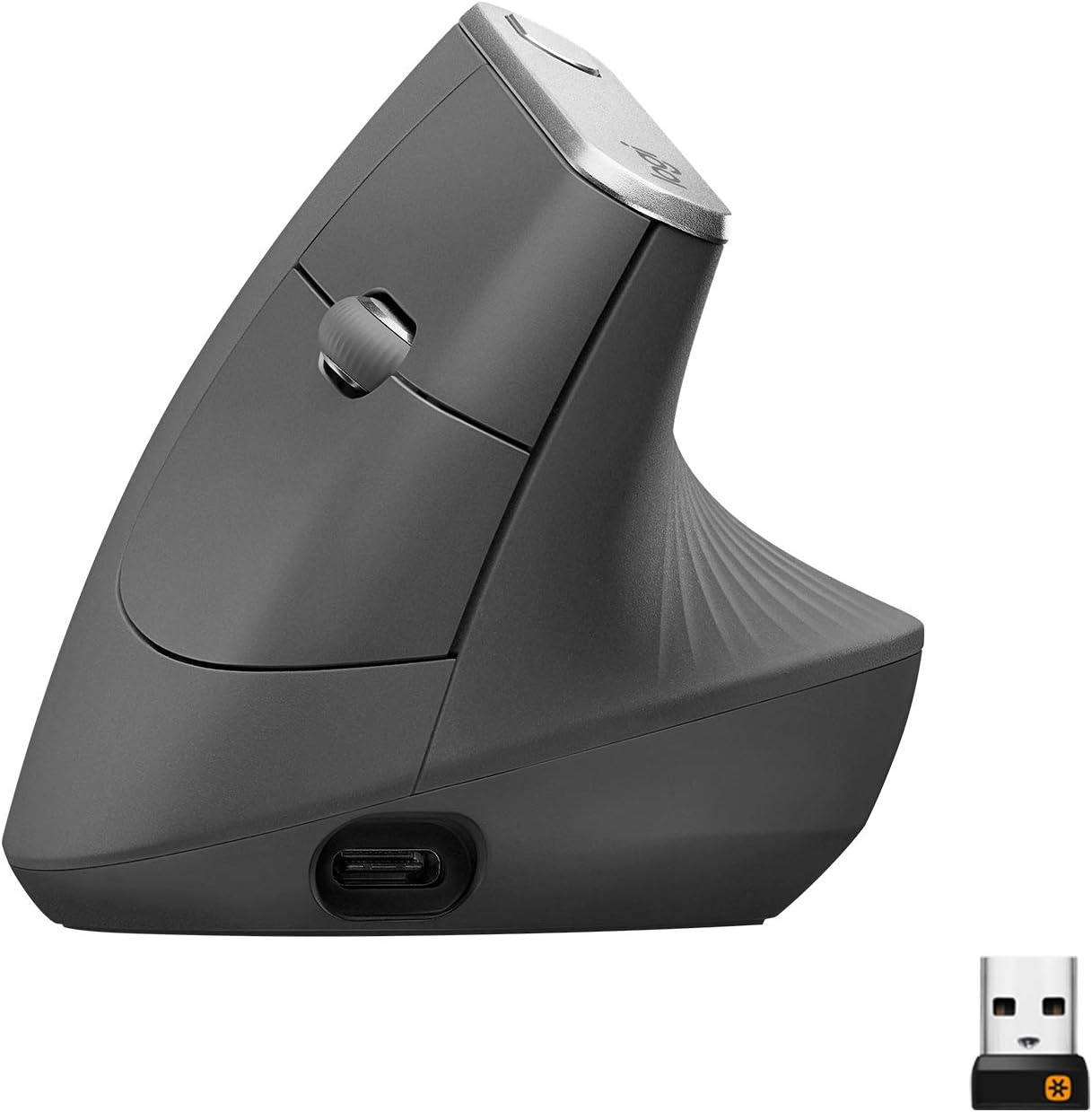
If you already feel a dull ache in your wrist at 4:00 PM, the MX Vertical is your prescription. It tilts your hand at a precise 57-degree angle. This is the "neutral handshake" position that ergonomics experts recommend to eliminate forearm twisting.
The Technical Advantage
By tilting your hand, you stop the two bones in your forearm (the radius and ulna) from crossing over each other. This instantly reduces muscle strain by about 10–15%.
Comfort: The textured rubber grip feels premium and prevents the "slipping" sensation common in cheaper vertical mice.
Speed Switch: It features a dedicated button on top to change cursor speed. This is vital because vertical mice use different muscle groups; being able to increase sensitivity reduces the amount of arm travel needed to cross a 4K monitor.
3. The Laptop Hero: Logitech Lift
Precision for Smaller Hands
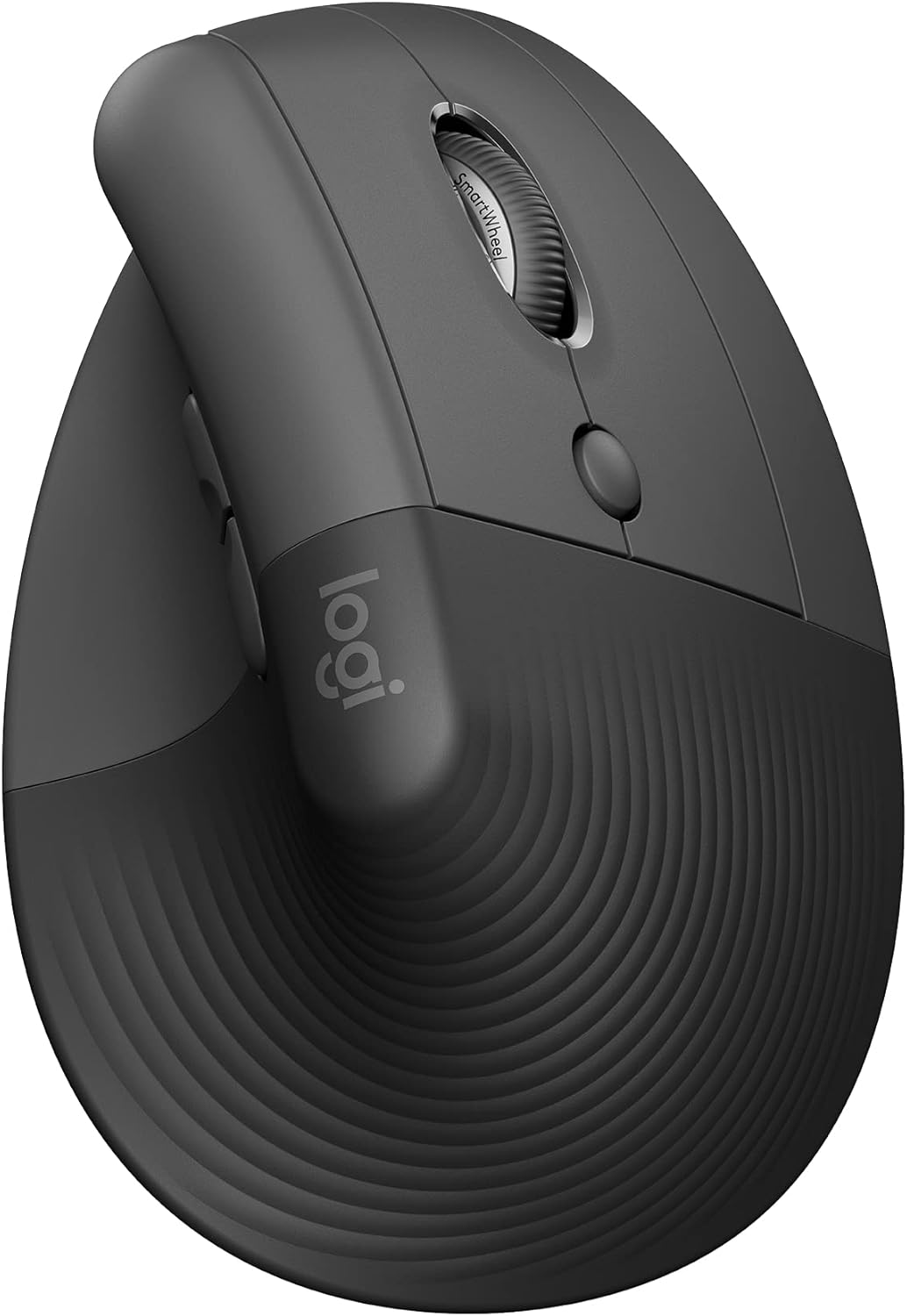
The original MX Vertical was often criticized for being too "chunky" for people with smaller hands. The Logitech Lift is the solution. It offers the same 57-degree vertical tilt but in a compact, approachable frame.
Why we recommend it for teams:
The Lift is the perfect choice for a corporate bulk-buy upgrade. It is quieter than the MX Vertical and comes in a Left-Handed version, which is a rarity in the ergonomic world.
Portability: It fits much better in a laptop bag than the bulky "Master" or "Vertical" models.
Silent Clicks: Perfect for open-plan offices or late-night coding sessions while a partner is sleeping nearby.
4. The Stationary King: Logitech MX Ergo S
Best for Tight Spaces & Shoulder Health
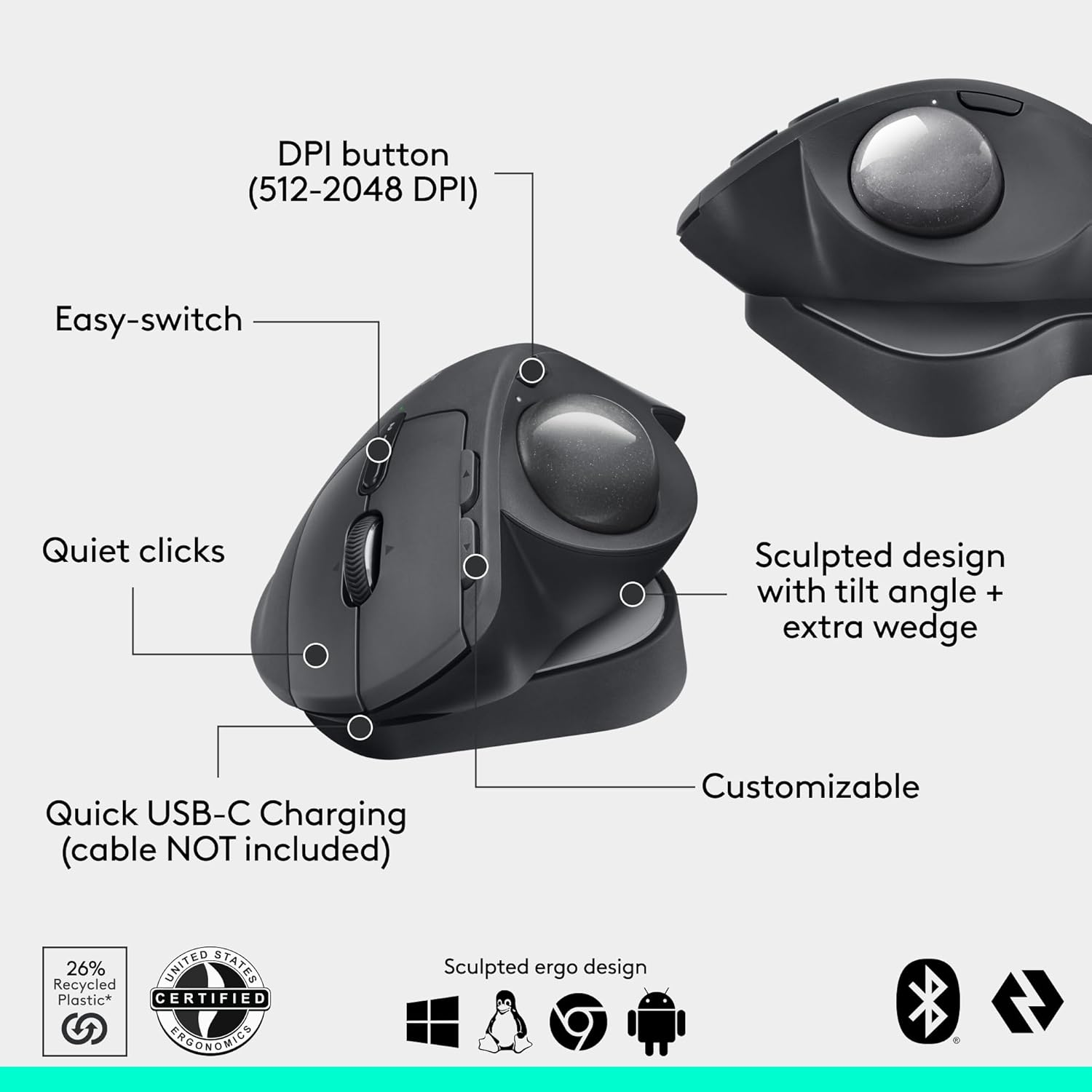
The MX Ergo S is a trackball mouse. Unlike a standard mouse, the device stays still while your thumb moves the cursor. In 2026, this has become the "secret weapon" for developers working in cramped home offices or standing desks with limited surface area.
The "Fixed-Point" Strategy
The MX Ergo S features a unique adjustable hinge that lets you tilt the mouse from 0 to 20 degrees. This allows you to find the exact angle where your thumb and wrist feel zero tension.
Health Benefit: Because your arm never moves, you eliminate "mouse shoulder"—the strain caused by reaching out to the side all day.
Best Practice: We recommend the MX Ergo S for anyone using Dual or Triple Monitor setups. Moving a cursor across three screens with a traditional mouse requires massive arm swings. With a trackball, it’s a flick of the thumb.
System Combinations & Bulk Upgrades
Buying a mouse in a vacuum is a mistake. To achieve peak efficiency, you must think in Systems. Here are our top three recommended combinations for 2026:
Combination A: The "Developer’s Power-Stack"
Mouse: Logitech MX Master 3S
Keyboard: Keychron Q6 Max (Full Size)
Monitor: 34-inch Ultrawide
Why: The thumb wheel on the 3S is designed for the horizontal real estate of an ultrawide monitor. The heavy, stable keyboard provides a solid anchor for high-speed typing.
Combination B: The "Ergo-First" Relief System
Mouse: Logitech MX Vertical
Keyboard: Kinesis Advantage360 (Split Keyboard)
Monitor: Dual 27-inch 4K Monitors
Why: This setup completely eliminates ulnar deviation and pronation. By using a split keyboard, you can place the MX Vertical between the keyboard halves to keep your mouse at the body's midline, reducing shoulder rotation.
Combination C: The "Agile Nomad"
Mouse: Logitech Lift
Keyboard: NuPhy Air75 V2 (Low Profile)
Why: Both tools are lightweight and "low-profile." This setup offers 90% of the ergonomic benefits of a home office while fitting into a standard 14-inch laptop sleeve.
Best Practices for the 10x Professional
The "Handshake" Test: When you grip your mouse, your thumb should point toward the ceiling. If your palm is flat against the desk, you are straining your forearm.
Sensitivity Calibration: Most professionals keep their DPI too low. Increase your mouse sensitivity (DPI) so that you can move the cursor across the entire screen using only small wrist movements, rather than sweeping your whole arm.
Software Optimization: Don't ignore the drivers. Use Logi Options+ or SteerMouse (for Mac) to map your side buttons to your most used terminal or IDE commands. Your mouse should be an extension of your keyboard.
The Verdict
If you want the absolute best tool for professional work, the Logitech MX Master 3S is our top recommendation. It is the perfect blend of luxury and utility.
However, if your goal is strictly health and pain relief, the Logitech MX Vertical (for larger hands) or the Logitech Lift (for smaller hands) are the winners. They fundamentally change how your body interacts with your computer.
The Physics of Precision: Why DPI Matters in 2026
Many users see "8,000 DPI" on the Logitech MX Master 3S and think it’s just a marketing number. It isn't. As a developer, I suggest you to look at the ratio between your sensor resolution and your monitor resolution.
If you are working on a 4K or 5K monitor, a standard mouse with 1,000 DPI is a bottleneck. You have to move your hand physically across the entire desk just to get the cursor from one side of the screen to the other.
The Solution: High DPI sensors allow for "Short-Travel Mousing." You can move the cursor across a massive high-res display with a flick of the wrist.
Expert Tip: If you use the Razer Pro Click (16,000 DPI), you can calibrate it so your hand barely moves. This is the ultimate "fatigue killer" for developers managing multi-monitor setups.
The "Productivity Ecosystem" Section
A mouse does not live in a vacuum. To work efficiently, you must build a System. Here are the three most effective "Workflows" we have tested at the Lab.
1. The "Coder’s High-Velocity" Workflow
Primary Tools: Logitech MX Master 3S + Keychron Q6 Max.
The Logic: Use the Thumb Wheel for horizontal scrolling through long lines of code.
Best Practice: Use Logi Options+ to map the side buttons to "Back" and "Forward" for browser testing, or "Step Over" and "Step Into" for debugging. This keeps your hand on the mouse during light refactoring.
2. The "Designer’s Precision" Workflow
Primary Tools: Razer Pro Click Vertical Mouse + NuPhy Air75 V2.
The Logic: Designers need pixel-perfect accuracy. The Razer sensor is more "linear" and predictable than office sensors. Pairing it with a low-profile keyboard keeps your wrists at a consistent height, reducing the "drop" between typing and mousing.
3. The "Management & Communication" Workflow
Primary Tools: Logitech Lift + Logitech MX Mechanical.
The Logic: This is about Stealth and Speed. The silent clicks on the Lift mean you can take notes during a meeting without the microphone picking up a single sound. It’s the ultimate setup for the "Professional Communicator."
Expanded Technical Comparison Data
Product Name | Weight | DPI Range | Software | Battery Type | Switch Type |
|---|---|---|---|---|---|
141g | 200 – 8,000 | Logi Options+ | Rechargeable | Silent Tactile | |
135g | 400 – 4,000 | Logi Options+ | Rechargeable | Standard | |
125g | 400 – 4,000 | Logi Options+ | 1x AA Battery | Silent Tactile | |
259g (with plate) | 512 – 2,048 | Logi Options+ | Rechargeable | Standard |
Bulk Buying & Team Upgrades
If you are an IT manager or a founder looking to upgrade your team, don't buy the same mouse for everyone. Ergonomics is personal. A "Large" mouse given to a person with "Small" hands will actually increase their risk of injury.
The Strategy: Offer a "Menu" of choices. Usually, a 60/40 split between the Logitech MX Master 3S and the Logitech Lift covers 95% of hand sizes and ergonomic needs.
The ROI: An ergonomic upgrade costs roughly $100 per employee. If it prevents even one week of "carpal tunnel" related slow-down, the tool has paid for itself five times over.
The Productivity Lab Final Verdict
Choosing a mouse is about more than just "pointing and clicking." It is about protecting your most valuable asset: your ability to work comfortably.
For Power Users who need every shortcut: MX Master 3S.
For Pain Relief and medical-grade comfort: MX Vertical.
For Small Hands and travel: Logitech Lift.
For Small Desks and shoulder health: MX Ergo S.
Don't wait for the pain to start. Upgrade your vehicle today.